


MAC | Install Tutorial

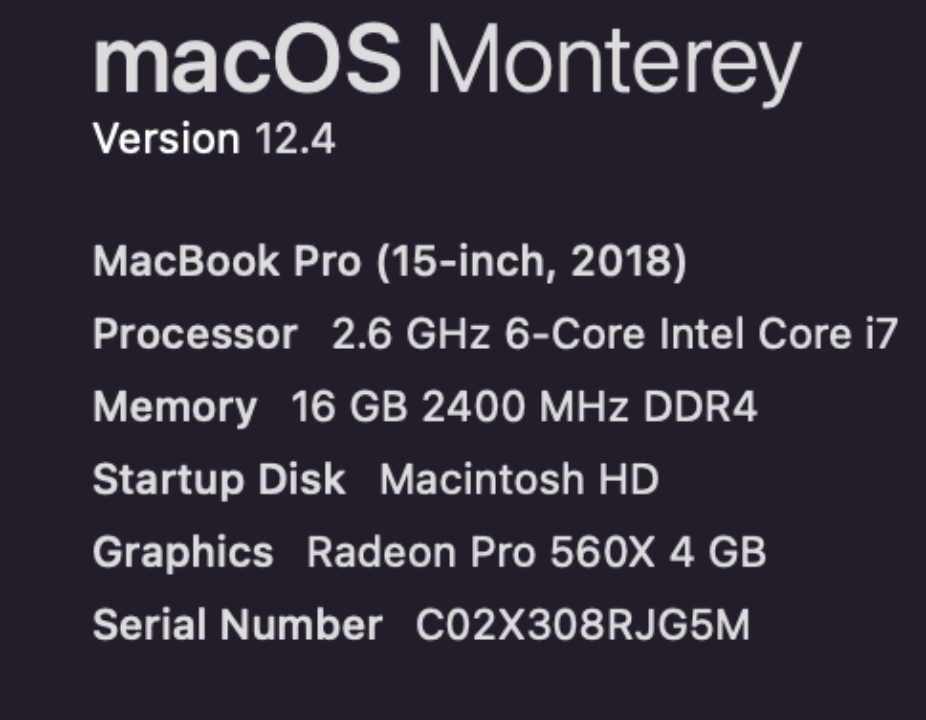
Recommended equipment: Please use macOS Monterey version 12.4 or higher version ( Memory 8GB could be used with lower experience)
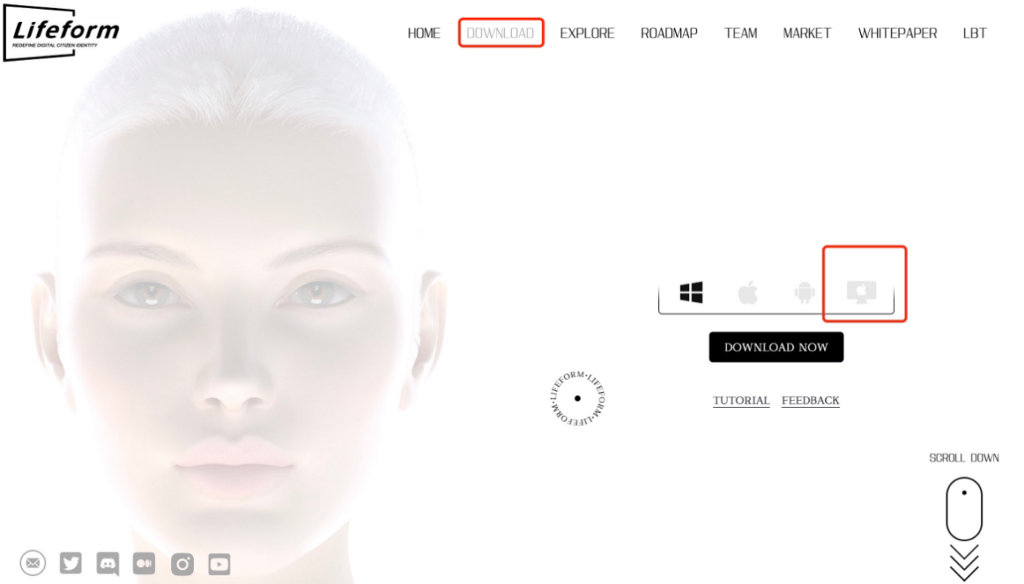
- Enter https://lifeform.cc/ to download the Lifeform MAC installation package. Click “DOWNLOAD” on the navigation bar, then click MAC download button as the following.
2. Unzip the folder after the download is completed, then double-click Lifeform.exe to open. It takes 45 to 90 seconds to load the application the first time you open it, please be patient.
Solutions for situations that cannot be opened normally
1. Try to put the folder on the desktop, and open it again.
2. If you meet the alert that macOS cannot verify the developer of “Lifeform” as the following.
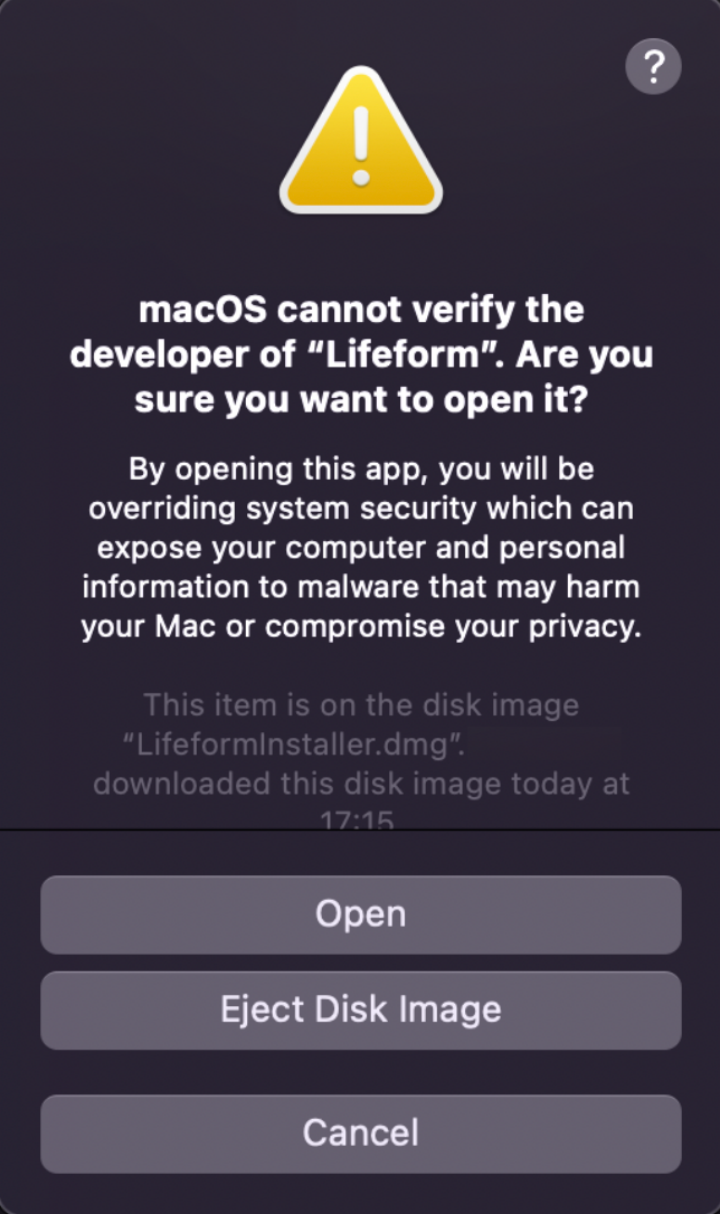
The following operations are needed:
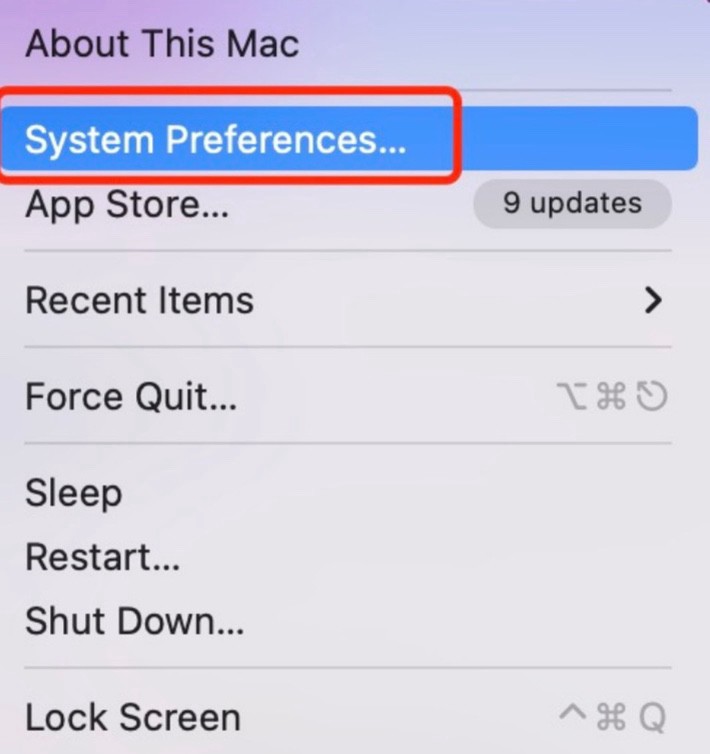
Open Mac System Preferences
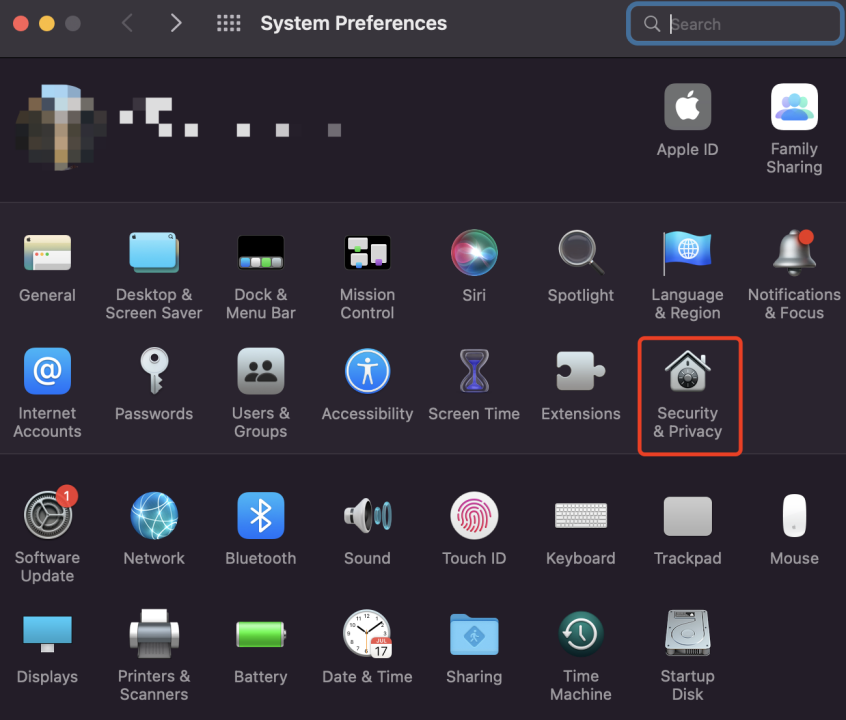
Click Security & Privacy
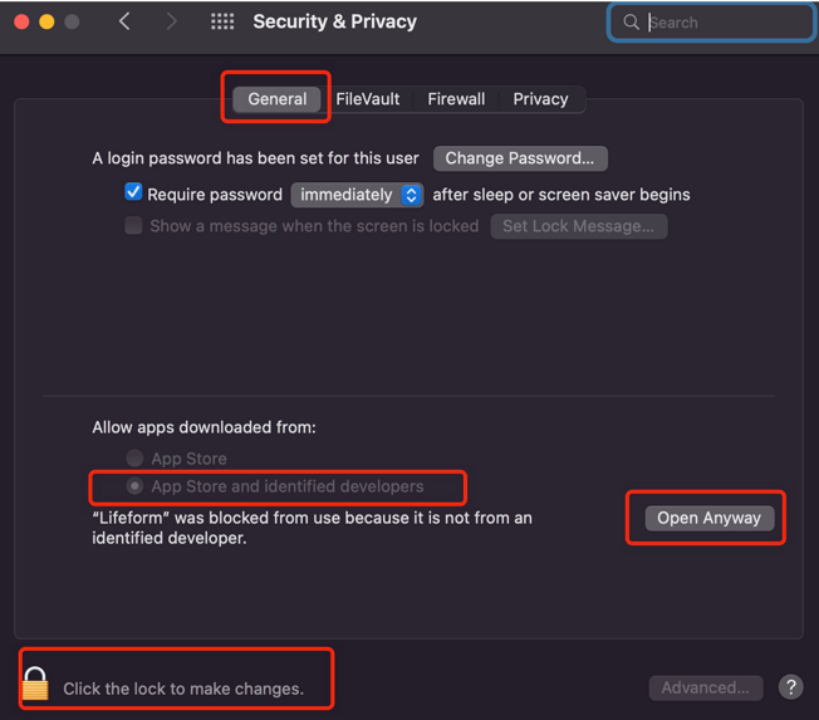
Click “General”, then click the “lock” button at the bottom left. Input the login password and click “Unlock” in the pop-up window. After unlocking, return to the General Settings screen, check “App Store and identified developers” and click “Open Anyway”.
MAC | Go Live
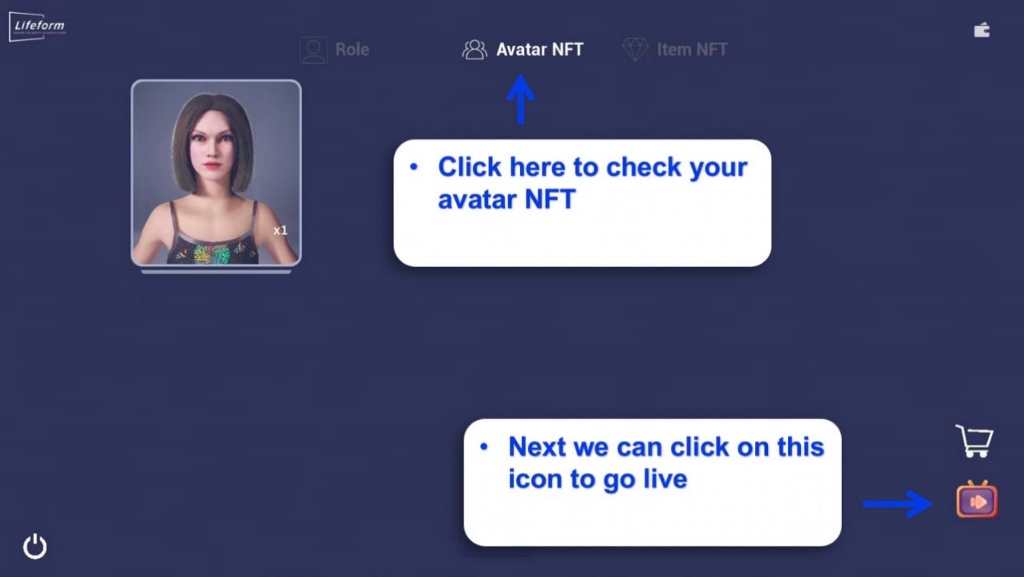
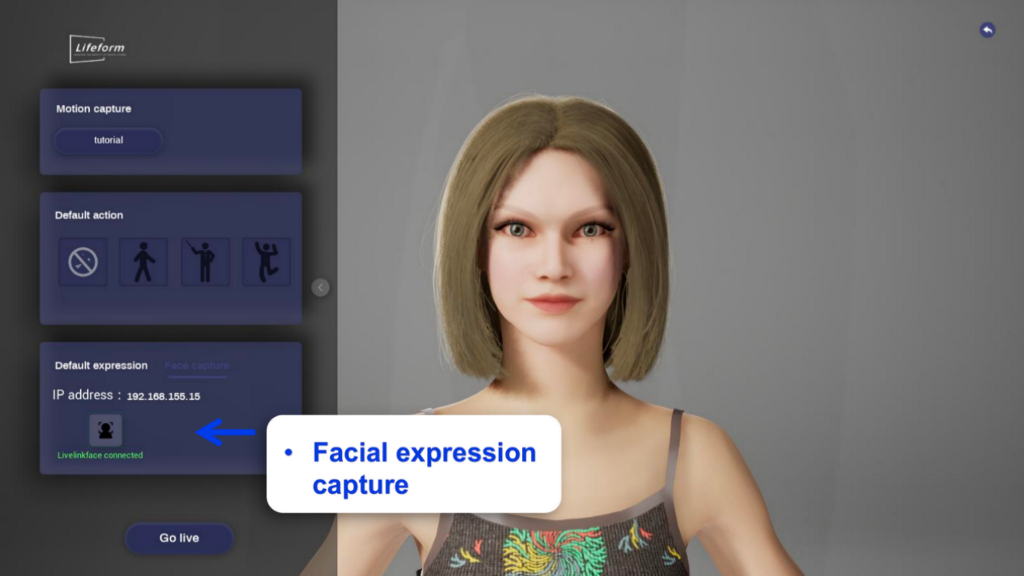
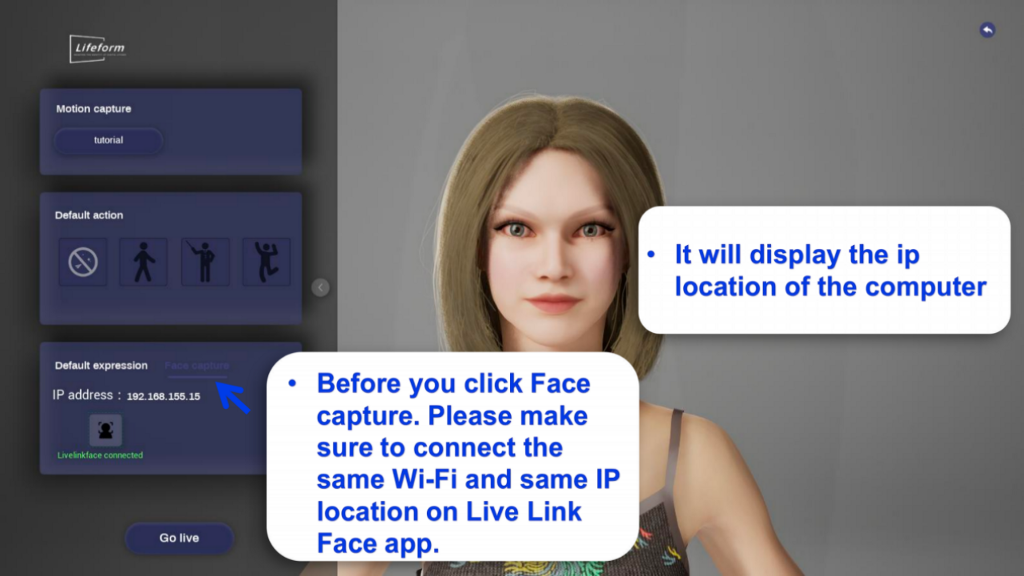
Open the software you want to live stream, such as ZOOM. Then click Share Screen.
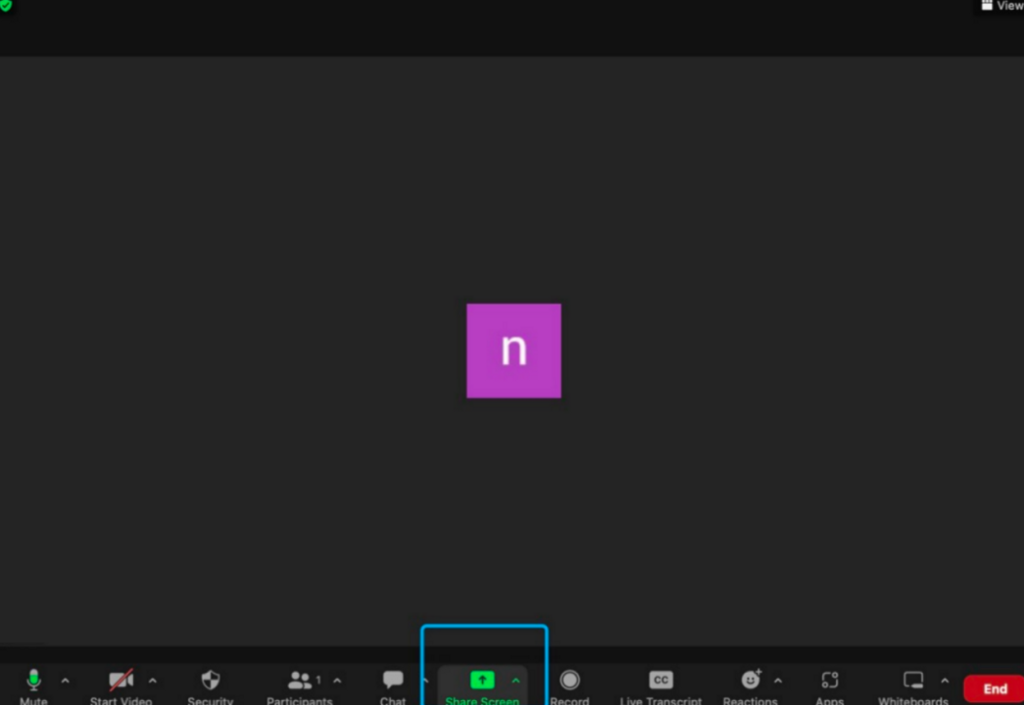
Choose the Lifeform interface, and click “Share” to start your avatar live streaming.
【免责声明】市场有风险,投资需谨慎。本文不构成投资建议,用户应考虑本文中的任何意见、观点或结论是否符合其特定状况。据此投资,责任自负。
来源链接