


百亿项目 Alchemy Road to Web3 第七周 NFT 获取教程

Alchemy 是什么项目?
2019 年 12 月,Alchemy 完成1500 万美元 A 轮融资,资方为 Pantera Capital,斯坦福大学,Coinbase,三星等。
2021 年 4 月,Alchemy 以 5.05 亿美元估值完成8000 万美元 B 轮融资,Coatue 和 Addition 领投,DFJ Growth、K5 Global、Chainsmokers(烟鬼组合)、演员 Jared Leto 和 Glazer 家族参投。
2021 年 10 月,Alchemy 以 35 亿美元估值完成2.5 亿美元 C 轮融资,由 a16z 领投的。
2022 年 2 月,Alchemy 以 102 亿美元估值完成2 亿美元融资,Lightspeed 与 Silver Lake 领投。
Alchemy 是一个背景强大、经费充足、踏实做事、没有发币的团队,这样的项目不刷,难道去刷土狗吗?
并且,Alchemy 计划将新资金用于推广 Web3 采用,这方面的一些举措包括推出 Web3 University,就是现在的 Road to Web3 活动,活动为期 10 周,每周一个 NFT。看了下 nft 数量极少,估计由于任务难度大,很多小伙伴直接放弃,这样的项目若是空投,绝对是大毛。
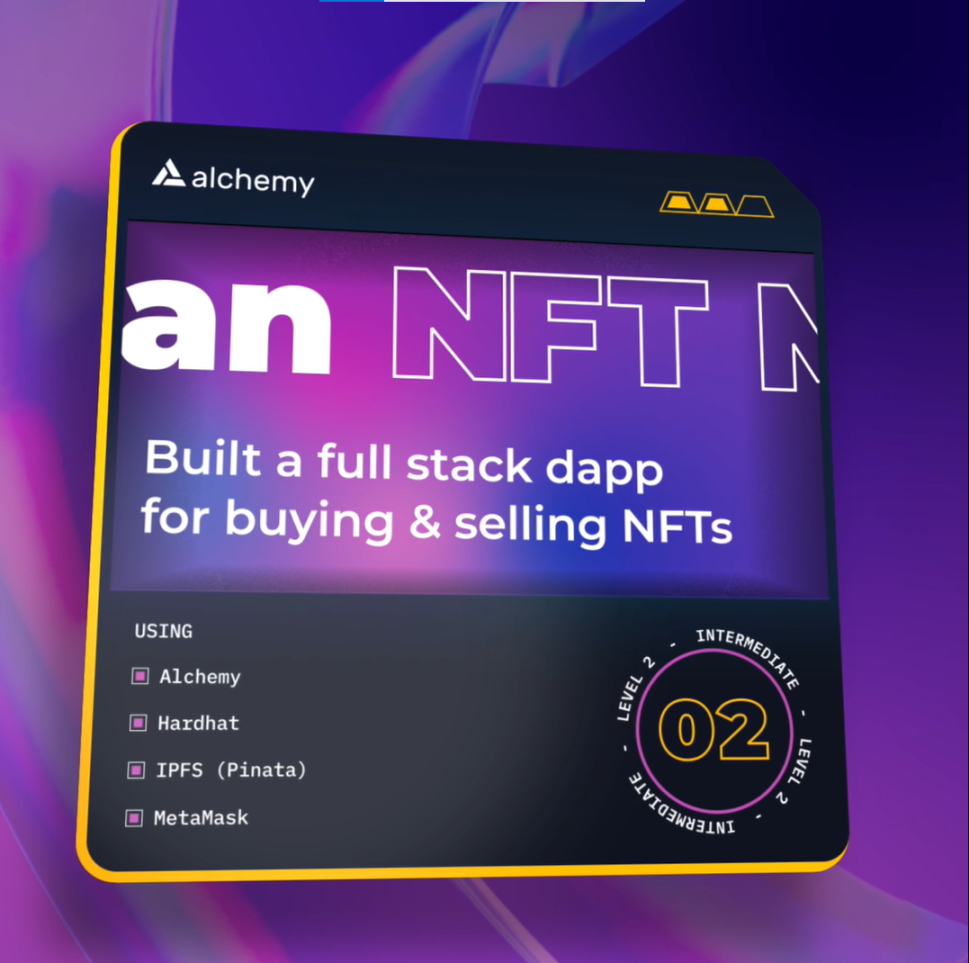
手把手第七周教程开始:如何从零开始构建 NFT 市场
step1 注册一个 Alchemy 帐户并创建一个新应用程序
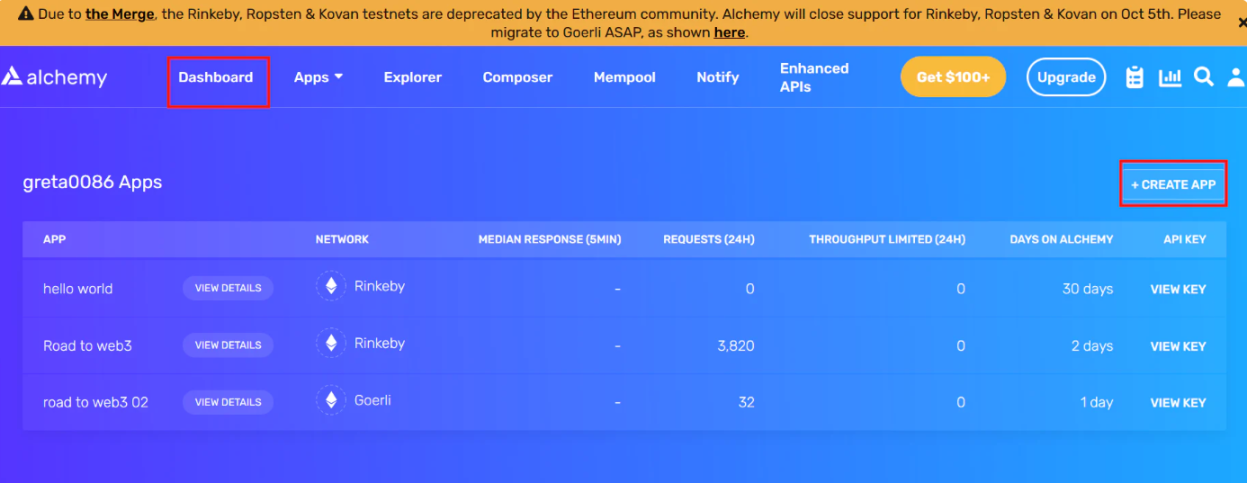
1.注册一个 Alchemy帐户。进入 dashboard,点击 create app。注册一个 Alchemy帐户。进入 dashboard,点击 create app。
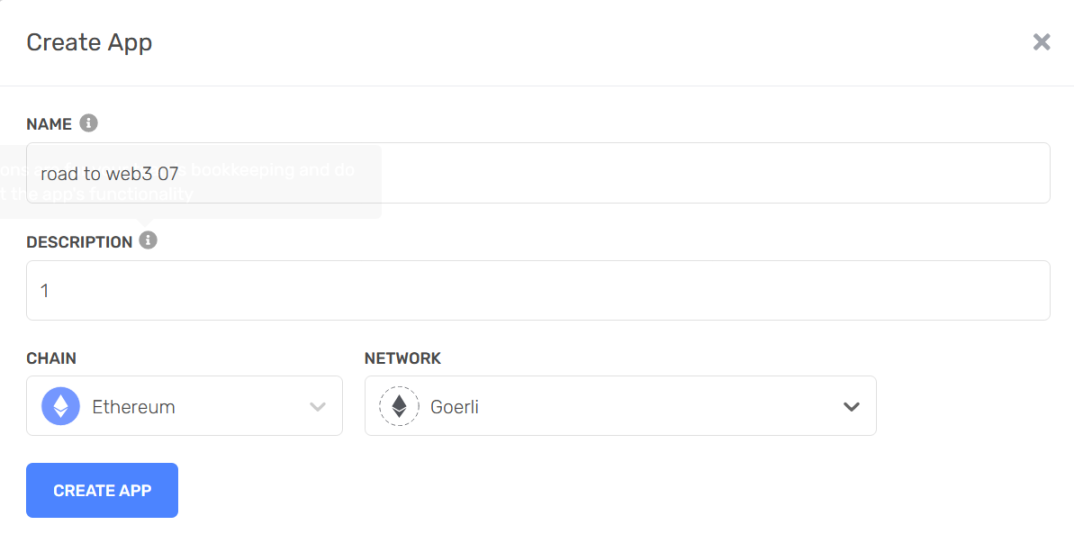
然后如下设置,点击 create app。
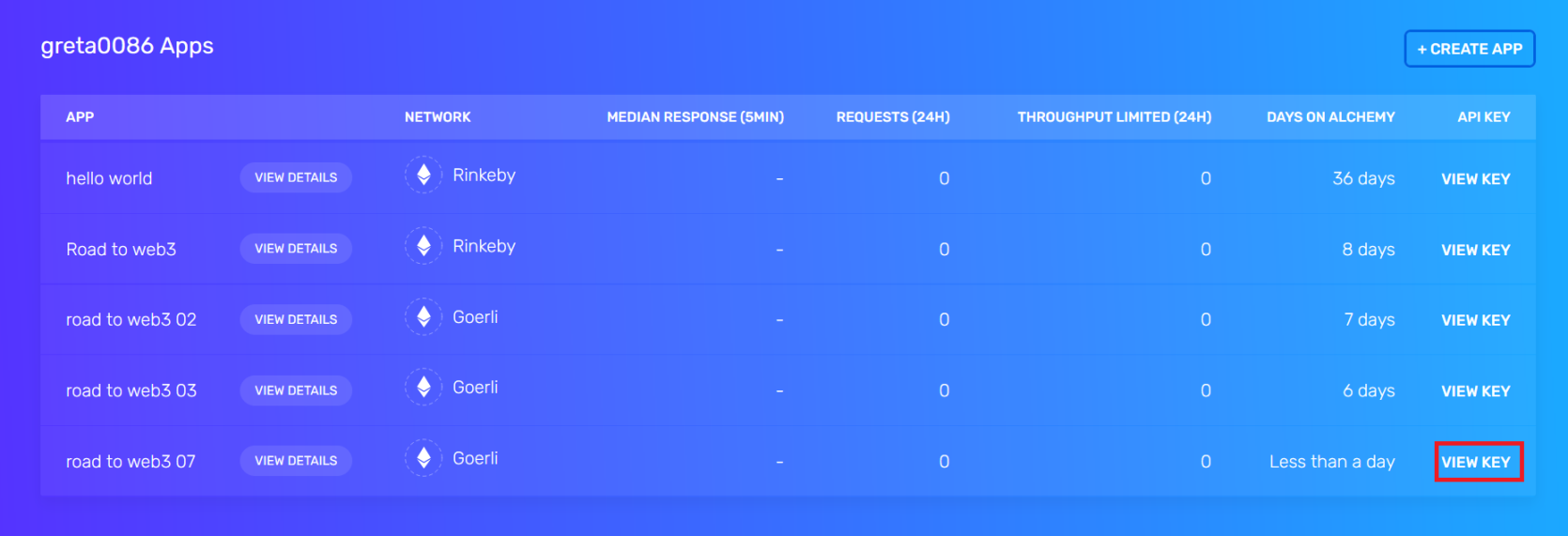
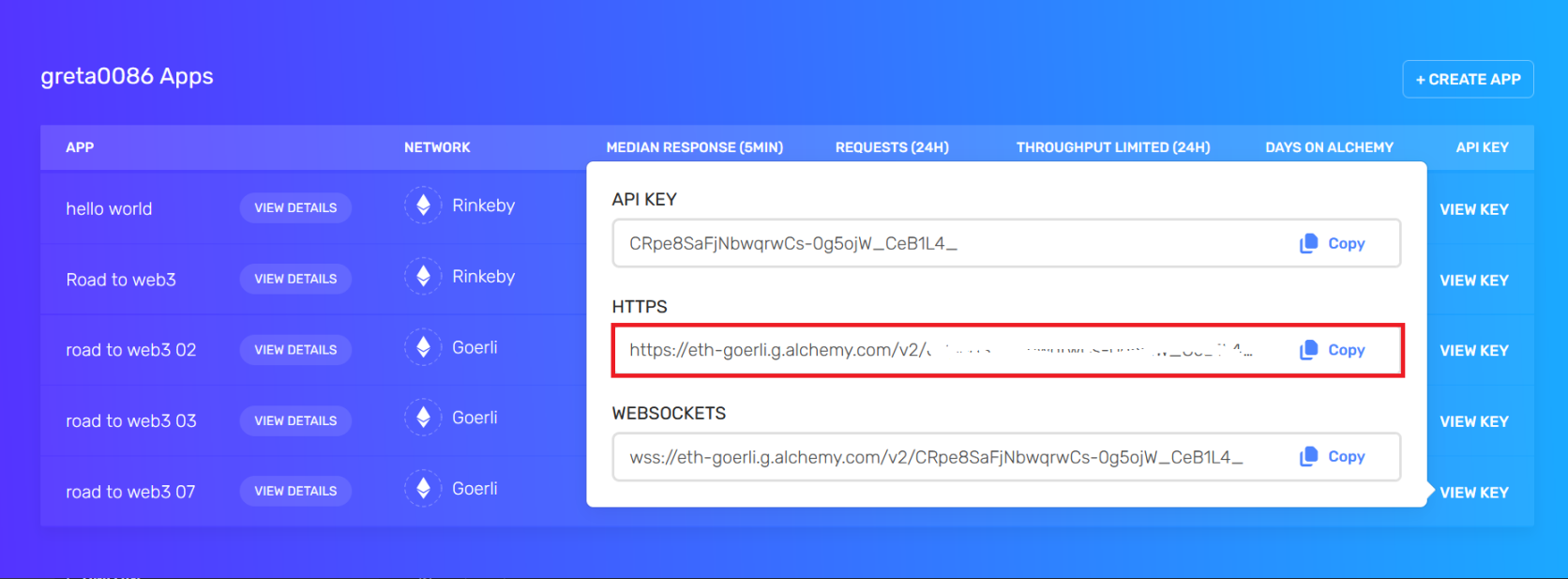
点击 view key
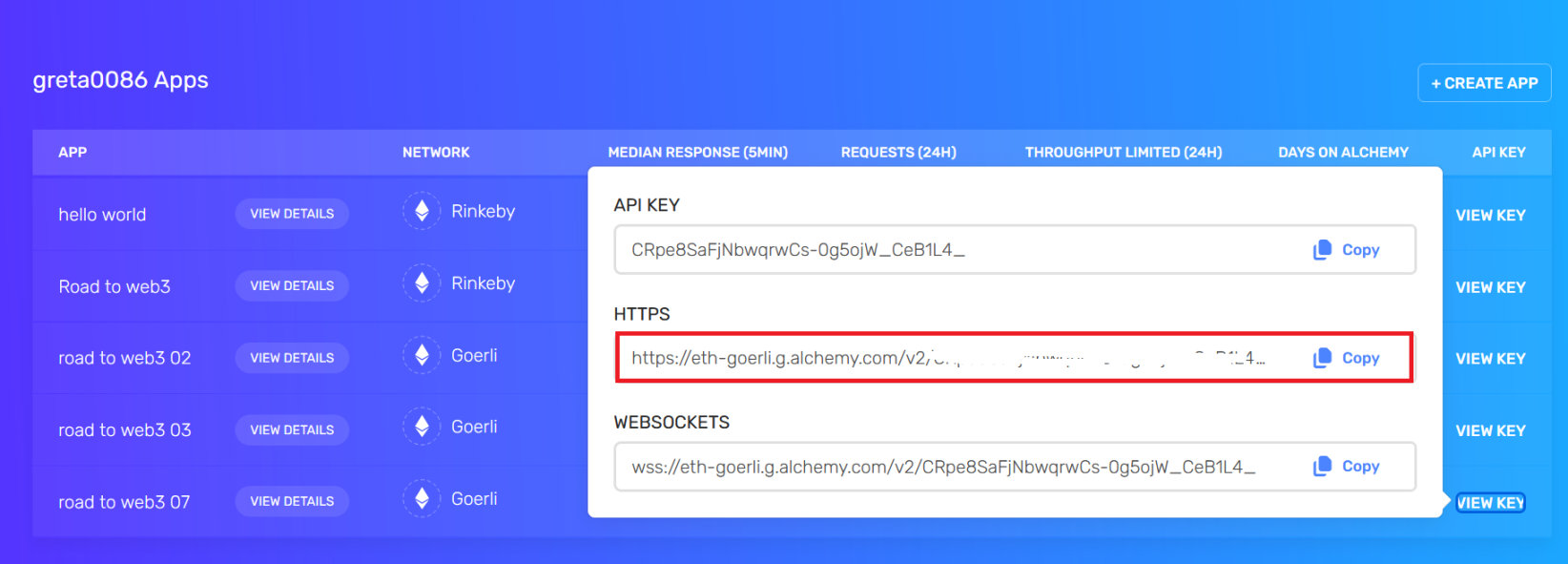
复制 HTTPS 的框内内容。
step2 设置您的 MetaMask 钱包以进行开发
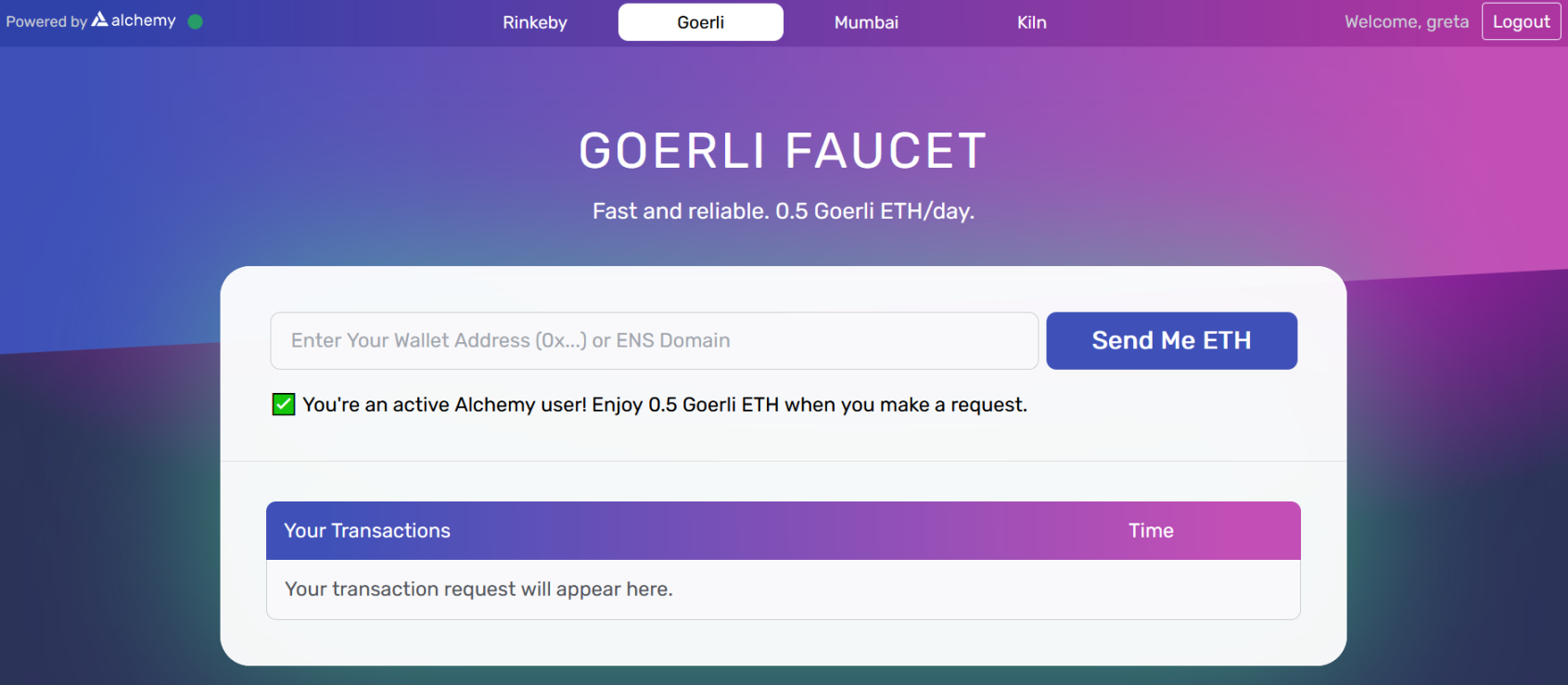
1. 将 MetaMask 连接到 Goerli 网络 ,然后 使用 Goerli 水龙头请求 Goerli ETH 。 您将需要 Goerli ETH 来部署智能合约并将 NFT 上传到您的 NFT 市场。
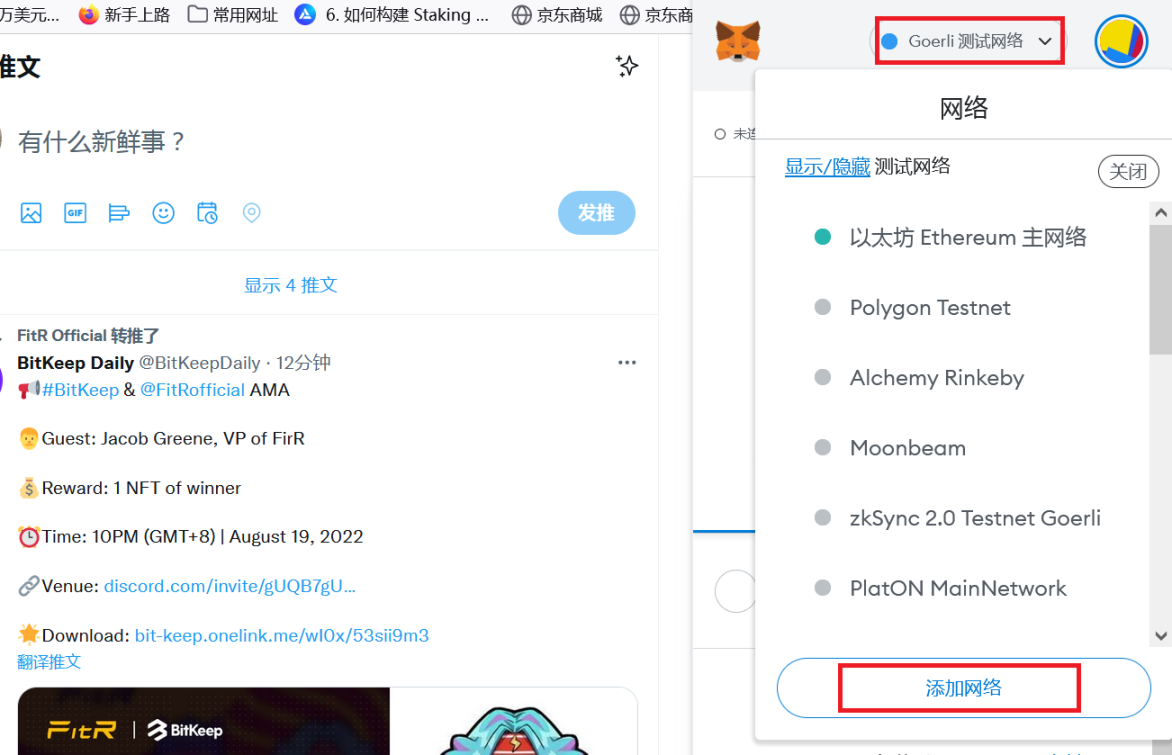
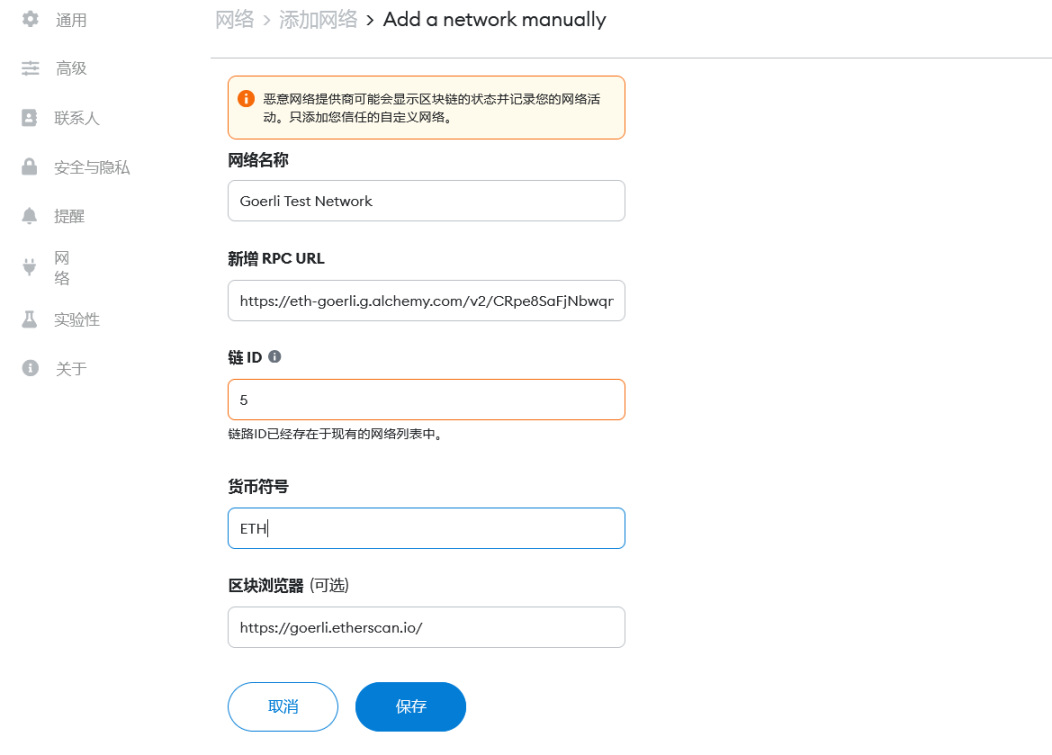
2.点击添加 Goerli 网络,如图填写(其中 RPC URL 为 step1 获取的链接),点击保存即可。
step3 设置存储库
1.为方便起见,官方已将基本代码上传到 GitHub 存储库。 此代码已编写所有前端,但没有智能合约或与前端的集成。要克隆存储库,请在控制台一步一步运行以下命令:
git clone https://github.com/alchemyplatform/RTW3-Week7-NFT-Marketplace.gitcd RTW3-Week7-NFT-Marketplacenpm installnpm start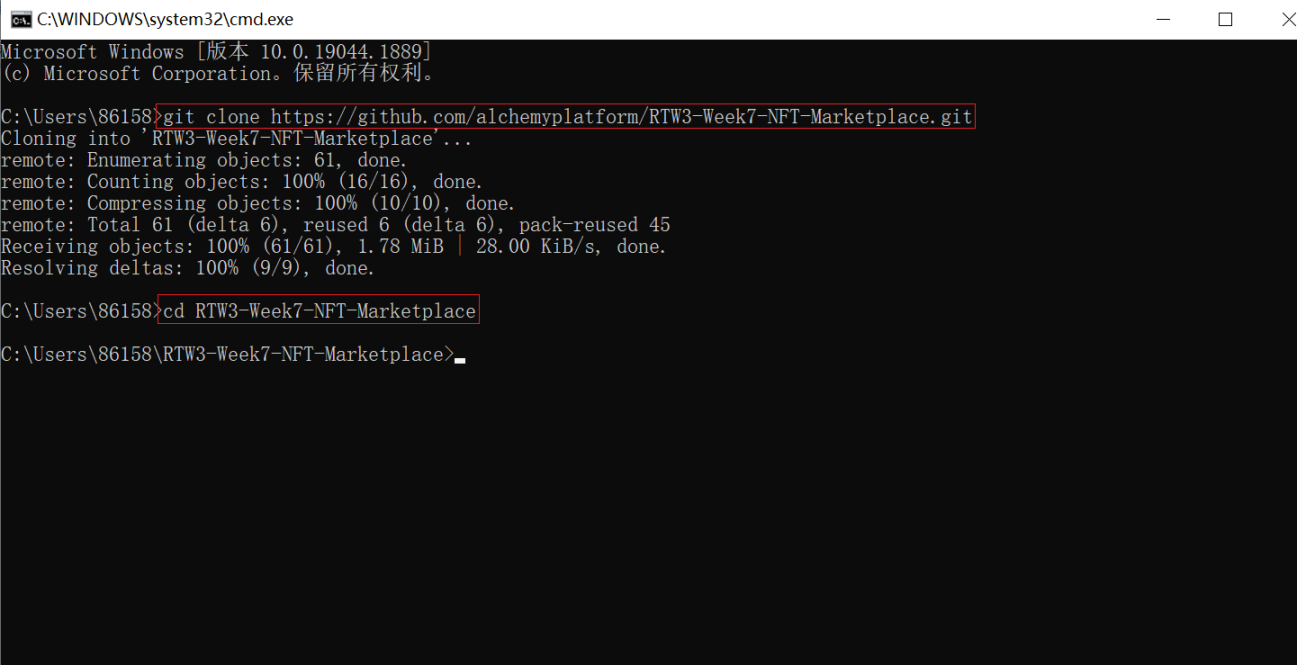
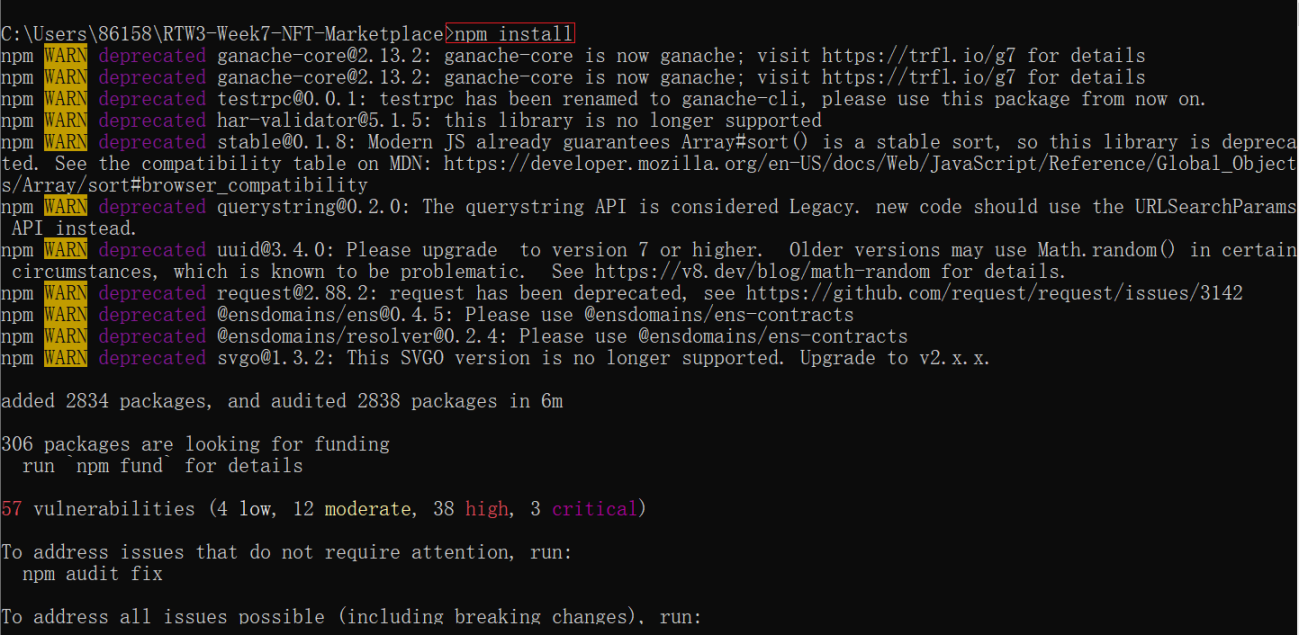

2.运行上面四个指令完毕之后,会跳出这个。
(下面这个图由于我的 3000 端口还在用,所以是 3001 端口,大家的估计还是 3000 啊)

step4 设置环境变量和 Hardhat 配置
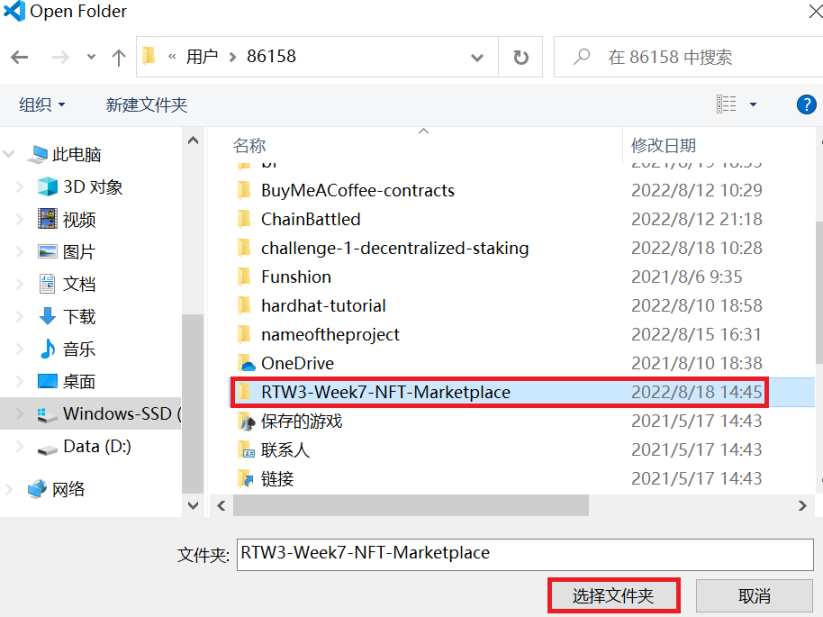
1.打开 vscode,找到您刚才创建的文件夹,点击选择文件夹。
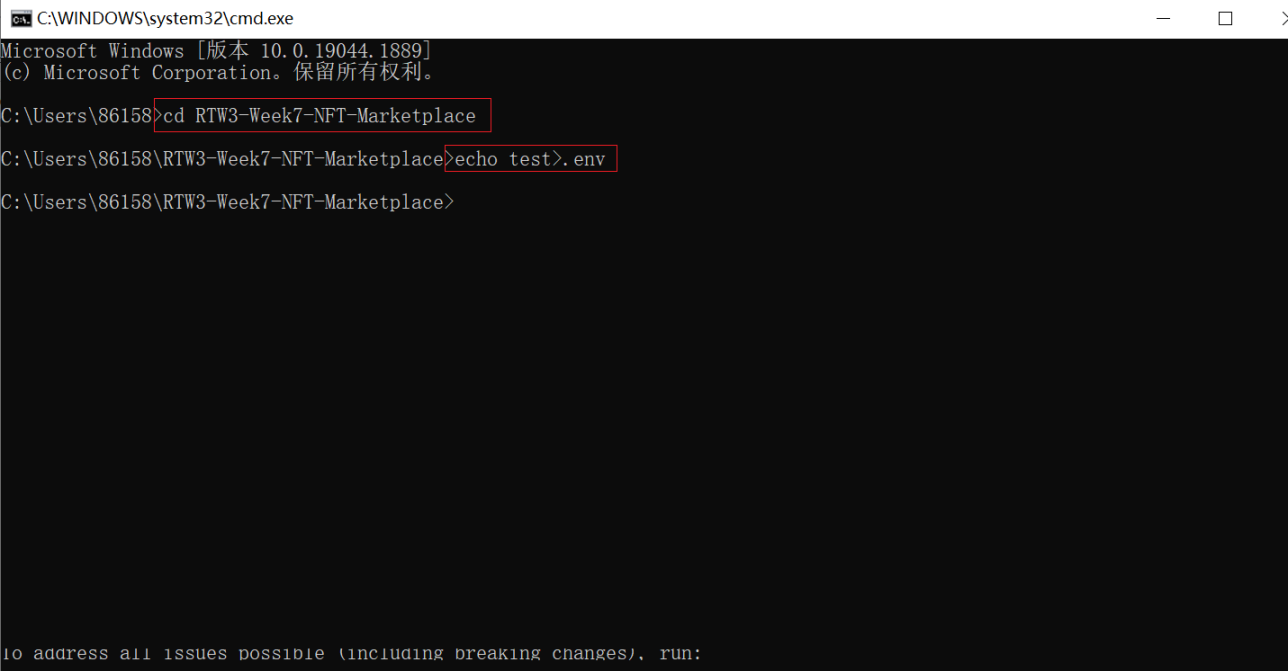
2.再打开一个控制台,cd 进入 RTW3-Week7-NFT-Marketplace 文件夹,然后输入 echo test>.env 创建一个.env 文件。
3.回到 vscode,可以看到 env 文件,在其中粘贴如下代码
REACT_APP_ALCHEMY_API_URL="<YOUR_API_URL>"(这个是 step1 中最后得到的 HTTPS)REACT_APP_PRIVATE_KEY="<YOUR_PRIVATE_KEY>" ( 这个是您将用于开发的小狐狸钱包的私钥 ) 复制这个替换第一行等号后的内容。
复制私钥替换第二行等号后的内容
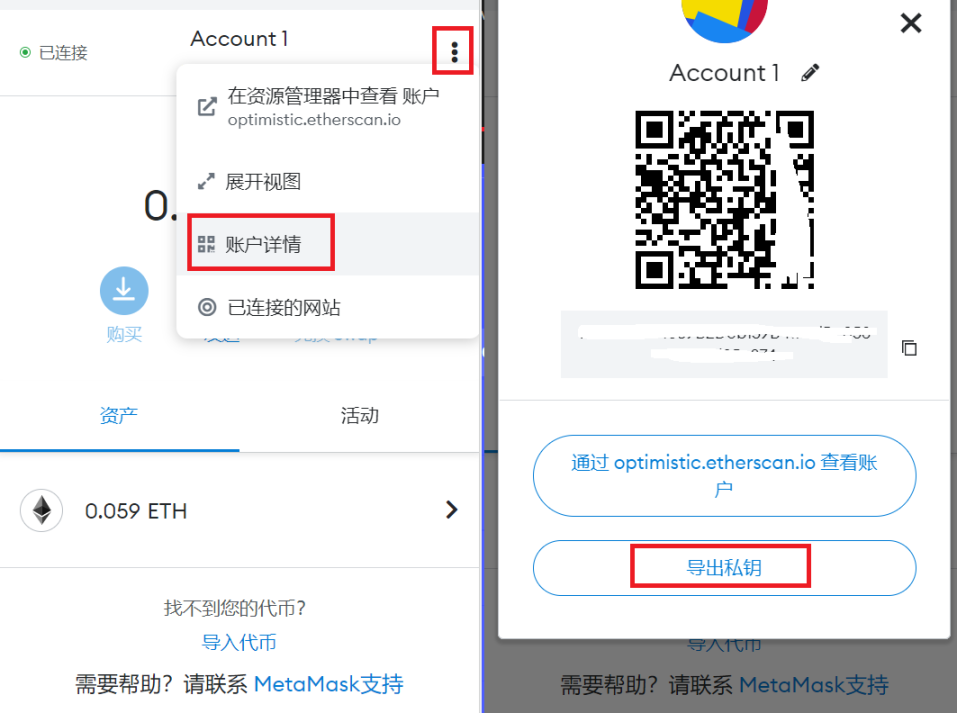
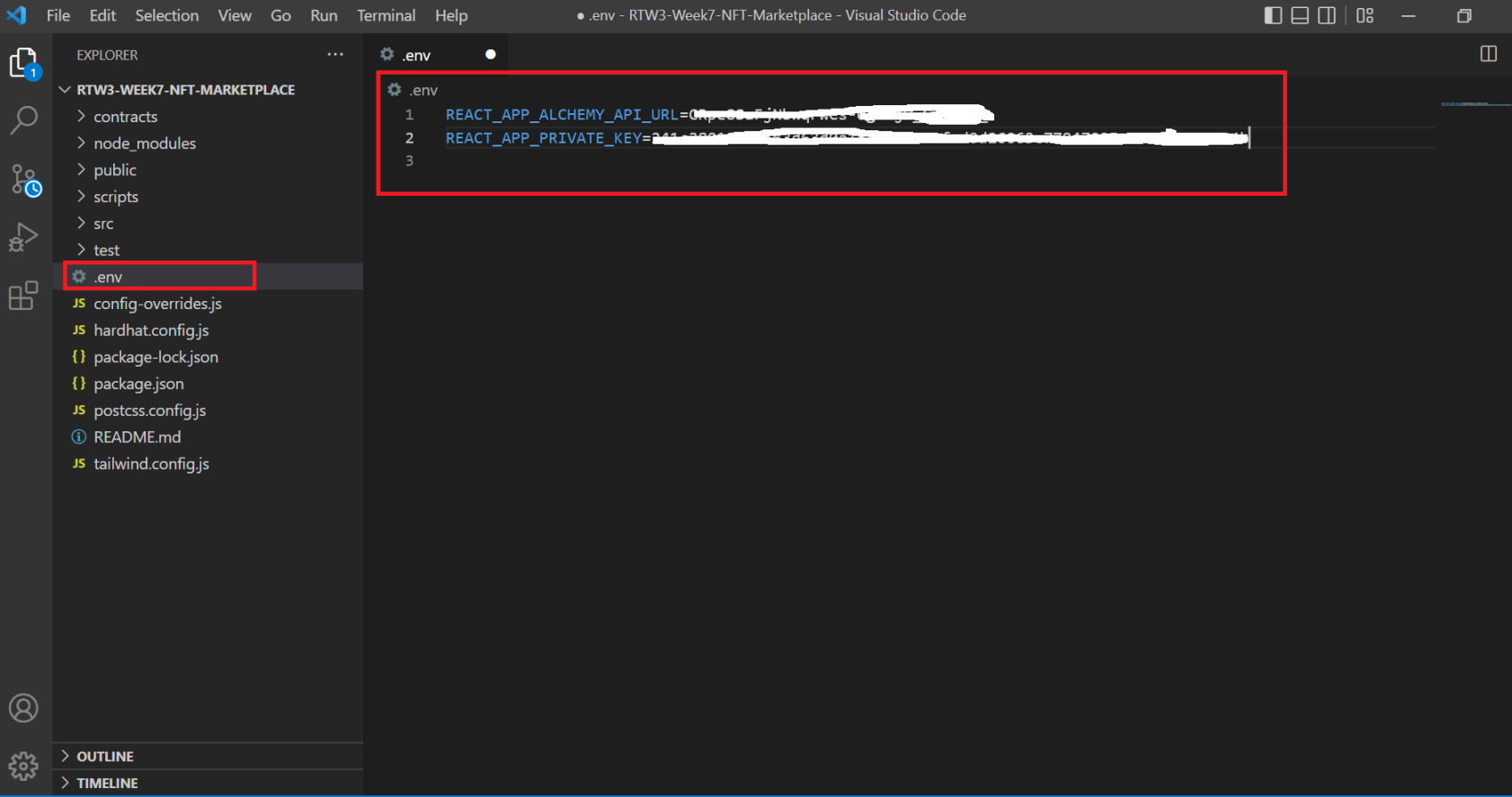
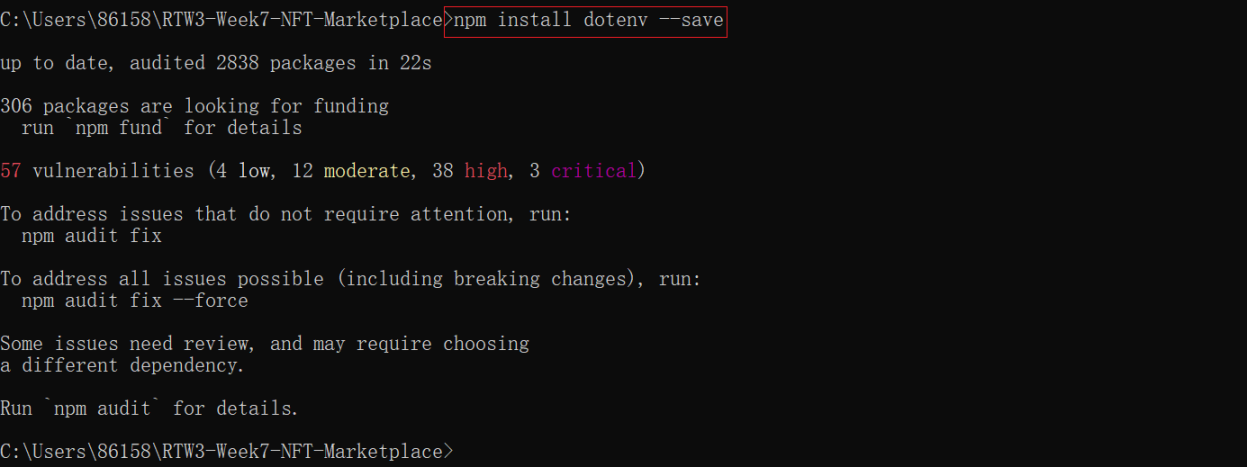
4.如果尚未安装,请在控制台输入 npm install dotenv –save
5.在您的主目录中,确保将以下代码添加到您的 hardhat.config.js文件:(其实就改了 env 相关的两行代码)
require("@nomiclabs/hardhat-waffle");require("@nomiclabs/hardhat-ethers");const fs = require('fs');// const infuraId = fs.readFileSync(".infuraid").toString().trim() || "";require('dotenv').config();task("accounts", "Prints the list of accounts", async (taskArgs, hre) => { const accounts = await hre.ethers.getSigners(); for (const account of accounts) { console.log(account.address); }});module.exports = { defaultNetwork: "hardhat", networks: { hardhat: { chainId: 1337 }, goerli: { url: process.env.REACT_APP_ALCHEMY_API_URL, accounts: [ process.env.REACT_APP_PRIVATE_KEY ] } }, solidity: { version: "0.8.4", settings: { optimizer: { enabled: true, runs: 200 } } }};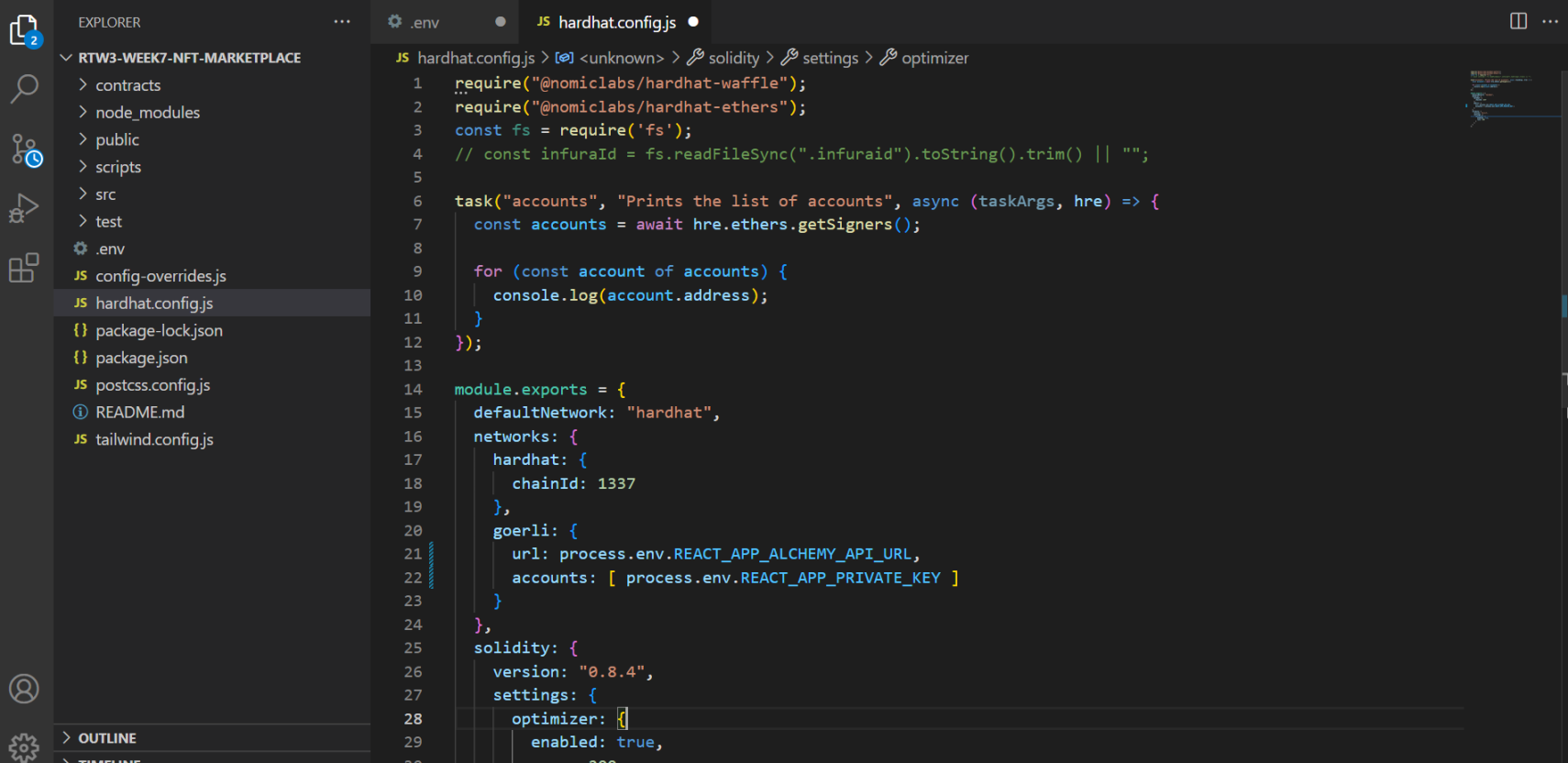
step5 使用 Piñata 将数据上传到 IPFS
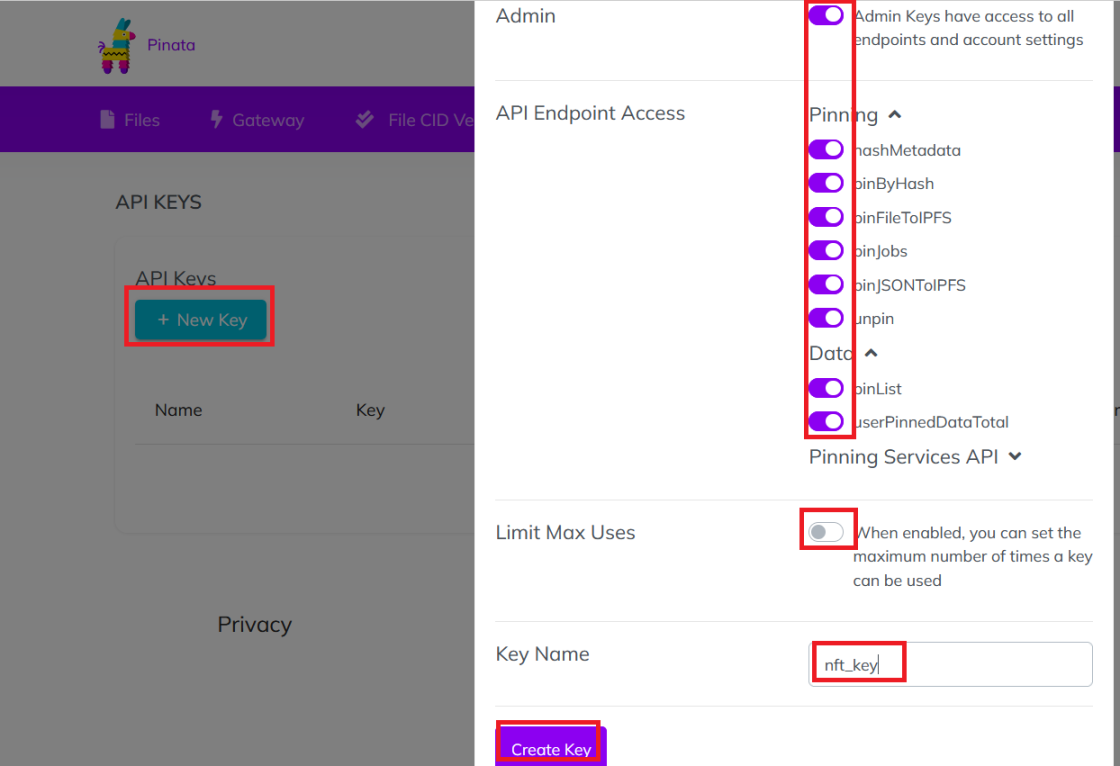
1.进入pinata 官网 ,选择顶部的“new key”按钮,如图设置,点击 create key。
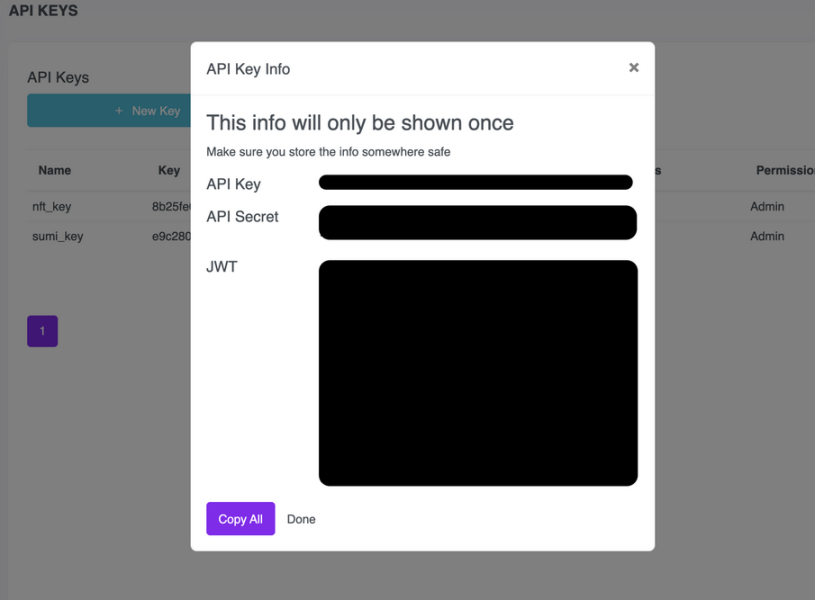
2.然后,您将看到一个包含您的 API 信息的弹出窗口。 将其复制到安全的地方。
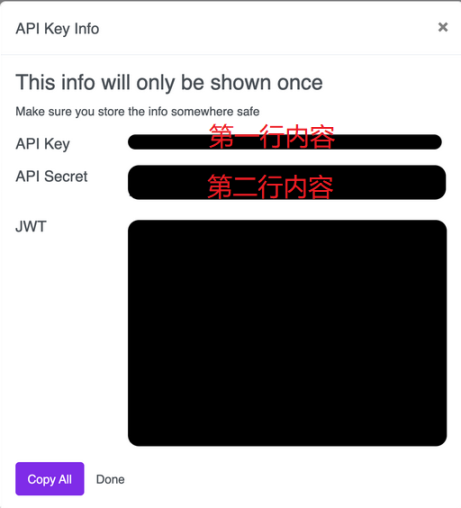
3.回到 vscode,点开.env 文件,在后面加入如下代码。
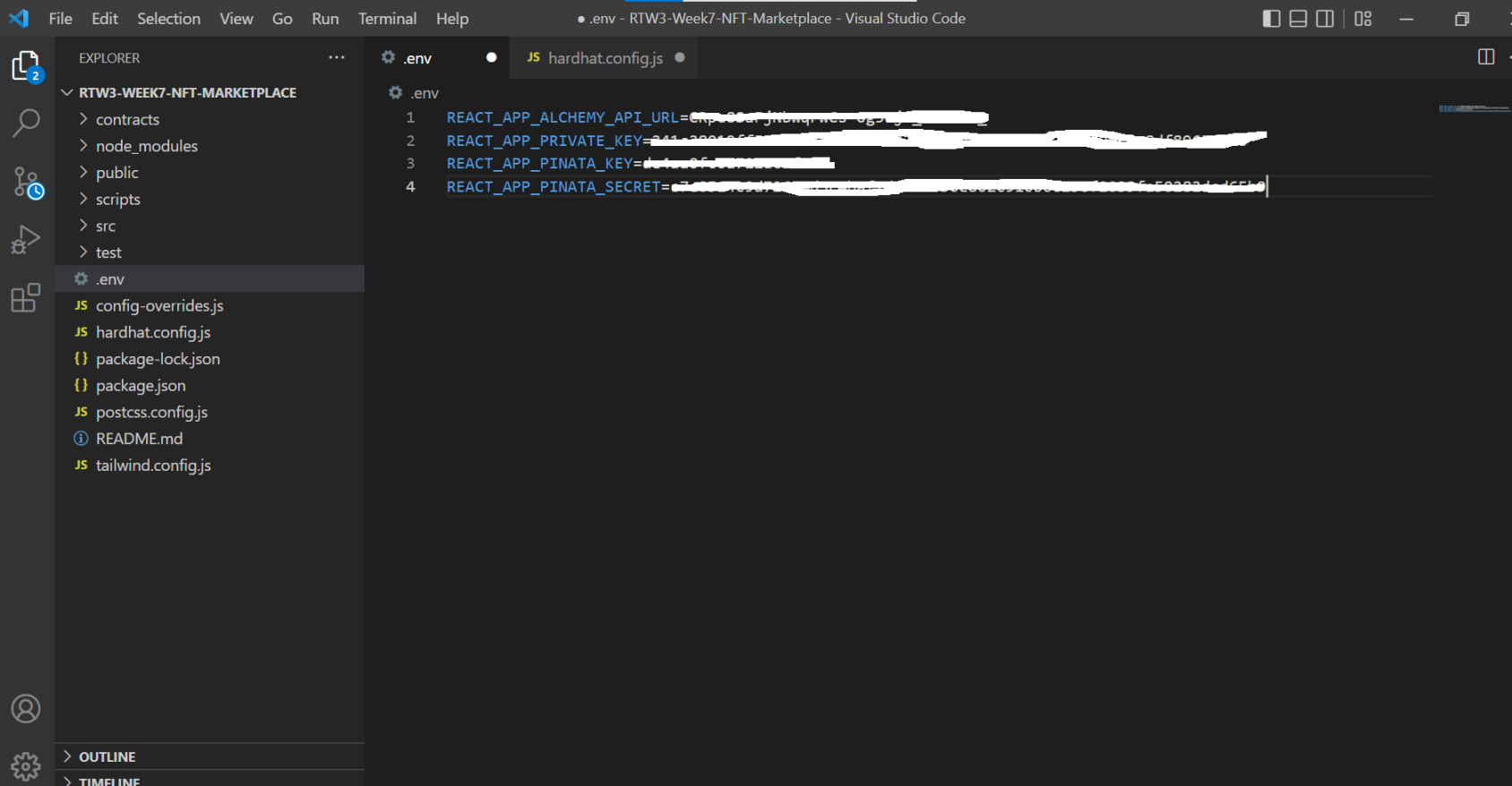
REACT_APP_PINATA_KEY="<YOUR_PINATA_KEY>"REACT_APP_PINATA_SECRET="<YOUR_PINATA_SECRET>"第一行第二行分别填图示中内容。
填完后如图所示:
step6 编写智能合约
1.在 vscode 中找到 NFTMarketplace.sol 文件(在 contracts 下面),将其中的代码更换为下面的,注意保存。官方有对每一步的解释,可以了解下。
//SPDX-License-Identifier: Unlicensepragma solidity ^0.8.0;import "hardhat/console.sol";import "@openzeppelin/contracts/utils/Counters.sol";import "@openzeppelin/contracts/token/ERC721/extensions/ERC721URIStorage.sol";import "@openzeppelin/contracts/token/ERC721/ERC721.sol";contract NFTMarketplace is ERC721URIStorage { using Counters for Counters.Counter; //_tokenIds variable has the most recent minted tokenId Counters.Counter private _tokenIds; //Keeps track of the number of items sold on the marketplace Counters.Counter private _itemsSold; //owner is the contract address that created the smart contract address payable owner; //The fee charged by the marketplace to be allowed to list an NFT uint256 listPrice = 0.01 ether; //The structure to store info about a listed token struct ListedToken { uint256 tokenId; address payable owner; address payable seller; uint256 price; bool currentlyListed; } //the event emitted when a token is successfully listed event TokenListedSuccess ( uint256 indexed tokenId, address owner, address seller, uint256 price, bool currentlyListed ); //This mapping maps tokenId to token info and is helpful when retrieving details about a tokenId mapping(uint256 => ListedToken) private idToListedToken; constructor() ERC721("NFTMarketplace", "NFTM") { owner = payable(msg.sender); } function updateListPrice(uint256 _listPrice) public payable { require(owner == msg.sender, "Only owner can update listing price"); listPrice = _listPrice; } function getListPrice() public view returns (uint256) { return listPrice; } function getLatestIdToListedToken() public view returns (ListedToken memory) { uint256 currentTokenId = _tokenIds.current(); return idToListedToken[currentTokenId]; } function getListedTokenForId(uint256 tokenId) public view returns (ListedToken memory) { return idToListedToken[tokenId]; } function getCurrentToken() public view returns (uint256) { return _tokenIds.current(); } //The first time a token is created, it is listed here function createToken(string memory tokenURI, uint256 price) public payable returns (uint) { //Increment the tokenId counter, which is keeping track of the number of minted NFTs _tokenIds.increment(); uint256 newTokenId = _tokenIds.current(); //Mint the NFT with tokenId newTokenId to the address who called createToken _safeMint(msg.sender, newTokenId); //Map the tokenId to the tokenURI (which is an IPFS URL with the NFT metadata) _setTokenURI(newTokenId, tokenURI); //Helper function to update Global variables and emit an event createListedToken(newTokenId, price); return newTokenId; } function createListedToken(uint256 tokenId, uint256 price) private { //Make sure the sender sent enough ETH to pay for listing require(msg.value == listPrice, "Hopefully sending the correct price"); //Just sanity check require(price > 0, "Make sure the price isn't negative"); //Update the mapping of tokenId's to Token details, useful for retrieval functions idToListedToken[tokenId] = ListedToken( tokenId, payable(address(this)), payable(msg.sender), price, true ); _transfer(msg.sender, address(this), tokenId); //Emit the event for successful transfer. The frontend parses this message and updates the end user emit TokenListedSuccess( tokenId, address(this), msg.sender, price, true ); } //This will return all the NFTs currently listed to be sold on the marketplace function getAllNFTs() public view returns (ListedToken[] memory) { uint nftCount = _tokenIds.current(); ListedToken[] memory tokens = new ListedToken[](nftCount); uint currentIndex = 0; //at the moment currentlyListed is true for all, if it becomes false in the future we will //filter out currentlyListed == false over here for(uint i=0;i<nftCount;i++) { uint currentId = i + 1; ListedToken storage currentItem = idToListedToken[currentId]; tokens[currentIndex] = currentItem; currentIndex += 1; } //the array 'tokens' has the list of all NFTs in the marketplace return tokens; } //Returns all the NFTs that the current user is owner or seller in function getMyNFTs() public view returns (ListedToken[] memory) { uint totalItemCount = _tokenIds.current(); uint itemCount = 0; uint currentIndex = 0; //Important to get a count of all the NFTs that belong to the user before we can make an array for them for(uint i=0; i < totalItemCount; i++) { if(idToListedToken[i+1].owner == msg.sender || idToListedToken[i+1].seller == msg.sender){ itemCount += 1; } } //Once you have the count of relevant NFTs, create an array then store all the NFTs in it ListedToken[] memory items = new ListedToken[](itemCount); for(uint i=0; i < totalItemCount; i++) { if(idToListedToken[i+1].owner == msg.sender || idToListedToken[i+1].seller == msg.sender) { uint currentId = i+1; ListedToken storage currentItem = idToListedToken[currentId]; items[currentIndex] = currentItem; currentIndex += 1; } } return items; } function executeSale(uint256 tokenId) public payable { uint price = idToListedToken[tokenId].price; address seller = idToListedToken[tokenId].seller; require(msg.value == price, "Please submit the asking price in order to complete the purchase"); //update the details of the token idToListedToken[tokenId].currentlyListed = true; idToListedToken[tokenId].seller = payable(msg.sender); _itemsSold.increment(); //Actually transfer the token to the new owner _transfer(address(this), msg.sender, tokenId); //approve the marketplace to sell NFTs on your behalf approve(address(this), tokenId); //Transfer the listing fee to the marketplace creator payable(owner).transfer(listPrice); //Transfer the proceeds from the sale to the seller of the NFT payable(seller).transfer(msg.value); } //We might add a resell token function in the future //In that case, tokens won't be listed by default but users can send a request to actually list a token //Currently NFTs are listed by default}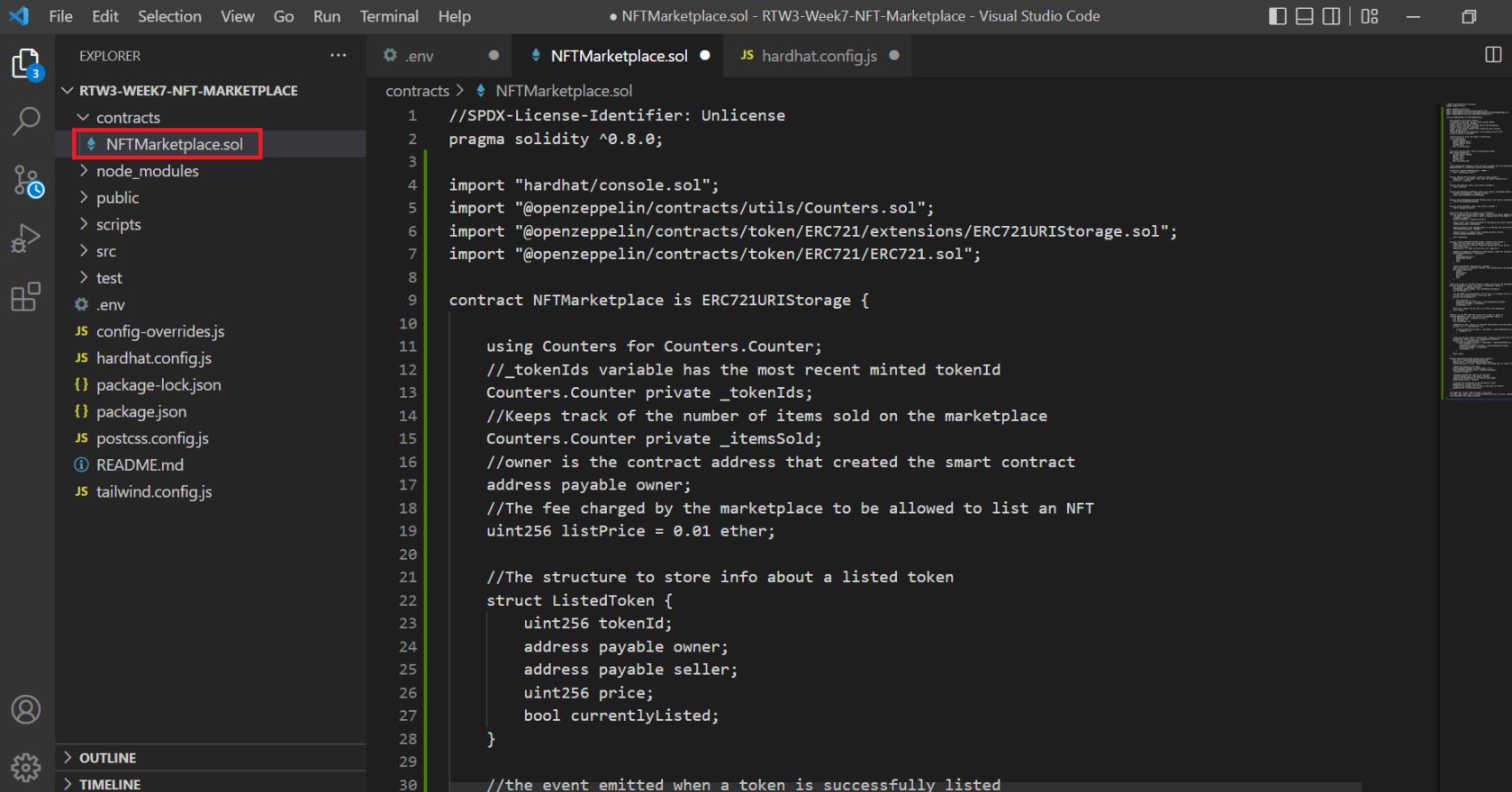
step7 在 Goerli 上部署智能合约
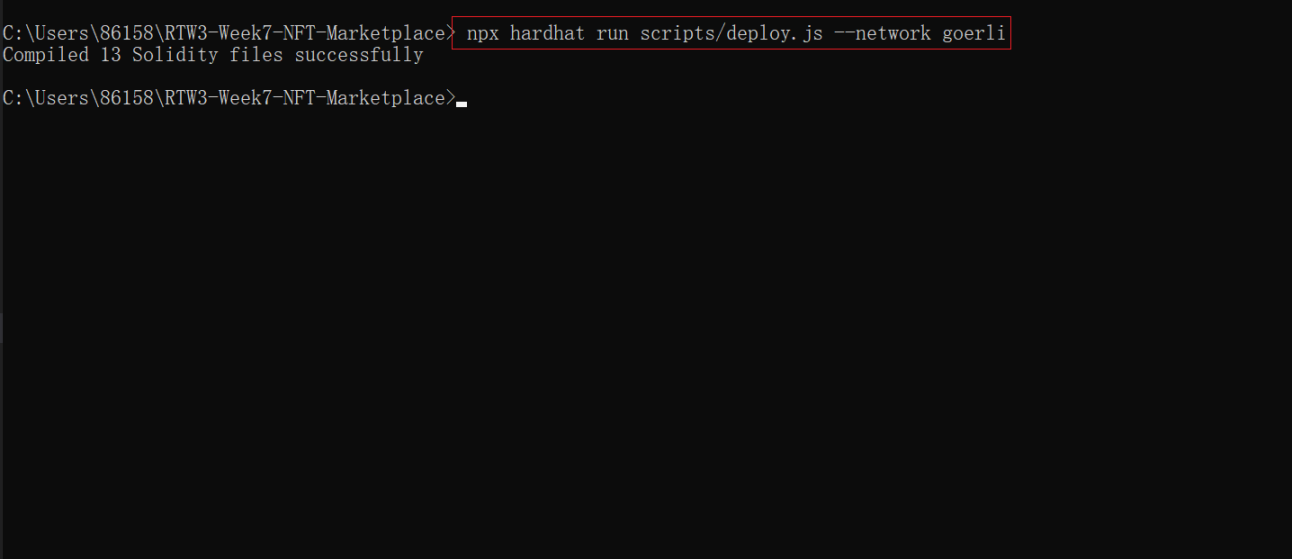
1.还是在 vscode 中,在 scripts 下面找到一个名为 deploy.js 的文件,粘贴以下代码并保存。
const { ethers } = require("hardhat");const hre = require("hardhat");const fs = require("fs");async function main() { //get the signer that we will use to deploy const [deployer] = await ethers.getSigners(); //Get the NFTMarketplace smart contract object and deploy it const Marketplace = await hre.ethers.getContractFactory("NFTMarketplace"); const marketplace = await Marketplace.deploy(); await marketplace.deployed(); //Pull the address and ABI out while you deploy, since that will be key in interacting with the smart contract later const data = { address: marketplace.address, abi: JSON.parse(marketplace.interface.format('json')) } //This writes the ABI and address to the marketplace.json //This data is then used by frontend files to connect with the smart contract fs.writeFileSync('./src/Marketplace.json', JSON.stringify(data))}main() .then(() => process.exit(0)) .catch((error) => { console.error(error); process.exit(1); });2.然后打开控制台并执行以下命令:npx hardhat run –network goerli scripts/deploy.js
step8 添加将 NFT 元数据上传到 Piñata 的功能
1.在 src 中,在名为 pinata.js的文件中粘贴此代码并保存。
//require('dotenv').config();const key = process.env.REACT_APP_PINATA_KEY;const secret = process.env.REACT_APP_PINATA_SECRET;const axios = require('axios');const FormData = require('form-data');export const uploadJSONToIPFS = async(JSONBody) => { const url = `https://api.pinata.cloud/pinning/pinJSONToIPFS`; //making axios POST request to Pinata ⬇️ return axios .post(url, JSONBody, { headers: { pinata_api_key: key, pinata_secret_api_key: secret, } }) .then(function (response) { return { success: true, pinataURL: "https://gateway.pinata.cloud/ipfs/" + response.data.IpfsHash }; }) .catch(function (error) { console.log(error) return { success: false, message: error.message, } });};export const uploadFileToIPFS = async(file) => { const url = `https://api.pinata.cloud/pinning/pinFileToIPFS`; //making axios POST request to Pinata ⬇️ let data = new FormData(); data.append('file', file); const metadata = JSON.stringify({ name: 'testname', keyvalues: { exampleKey: 'exampleValue' } }); data.append('pinataMetadata', metadata); //pinataOptions are optional const pinataOptions = JSON.stringify({ cidVersion: 0, customPinPolicy: { regions: [ { id: 'FRA1', desiredReplicationCount: 1 }, { id: 'NYC1', desiredReplicationCount: 2 } ] } }); data.append('pinataOptions', pinataOptions); return axios .post(url, data, { maxBodyLength: 'Infinity', headers: { 'Content-Type': `multipart/form-data; boundary=${data._boundary}`, pinata_api_key: key, pinata_secret_api_key: secret, } }) .then(function (response) { console.log("image uploaded", response.data.IpfsHash) return { success: true, pinataURL: "https://gateway.pinata.cloud/ipfs/" + response.data.IpfsHash }; }) .catch(function (error) { console.log(error) return { success: false, message: error.message, } });};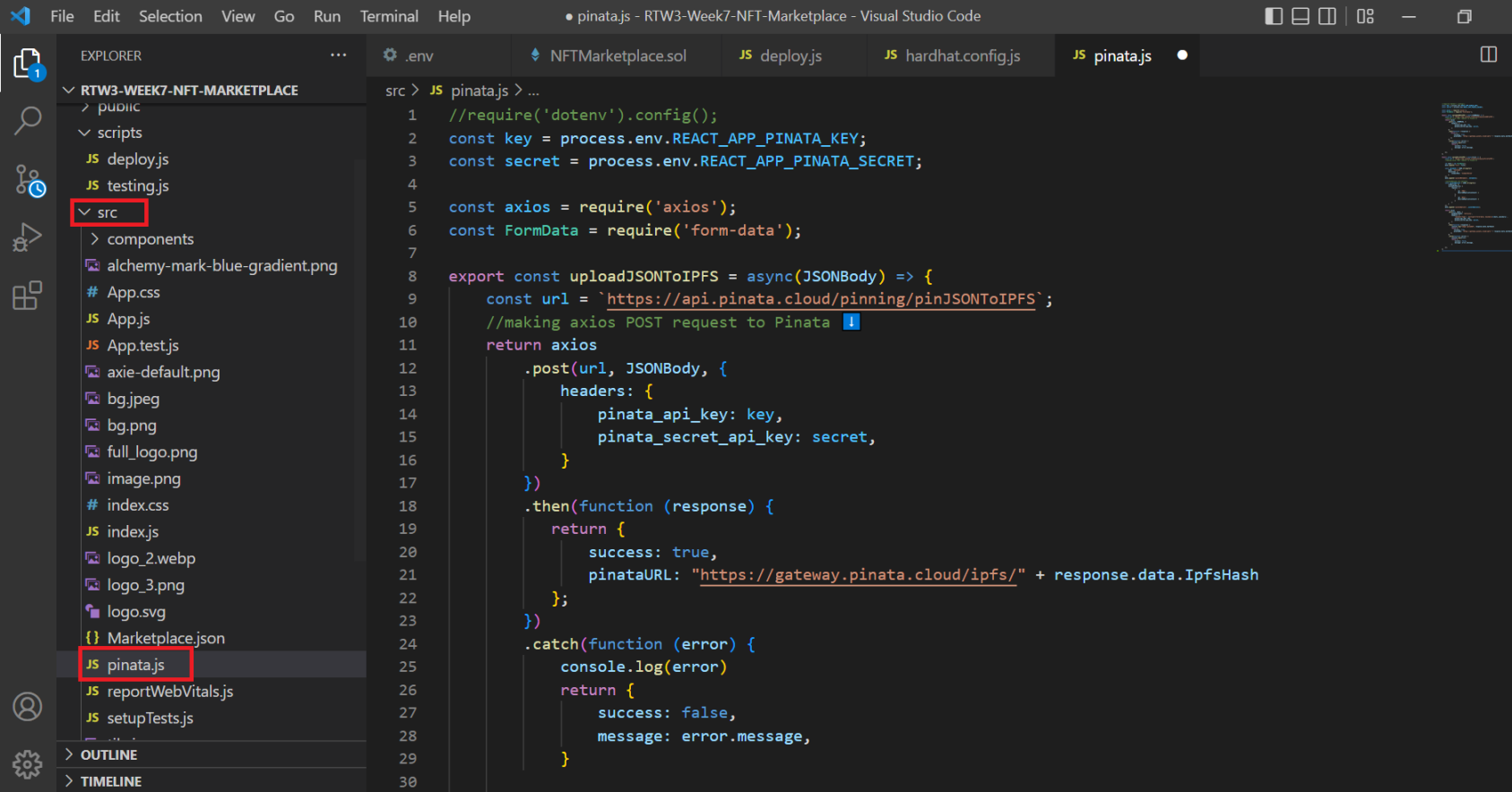
step9 将前端与智能合约集成
1.将以下代码添加到您的 src/components/SellNFT.js 中,如图。
import Navbar from "./Navbar";import { useState } from "react";import { uploadFileToIPFS, uploadJSONToIPFS } from "../pinata";import Marketplace from '../Marketplace.json';import { useLocation } from "react-router";export default function SellNFT () { const [formParams, updateFormParams] = useState({ name: '', description: '', price: ''}); const [fileURL, setFileURL] = useState(null); const ethers = require("ethers"); const [message, updateMessage] = useState(''); const location = useLocation(); //This function uploads the NFT image to IPFS async function OnChangeFile(e) { var file = e.target.files[0]; //check for file extension try { //upload the file to IPFS const response = await uploadFileToIPFS(file); if(response.success === true) { console.log("Uploaded image to Pinata: ", response.pinataURL) setFileURL(response.pinataURL); } } catch(e) { console.log("Error during file upload", e); } } //This function uploads the metadata to IPDS async function uploadMetadataToIPFS() { const {name, description, price} = formParams; //Make sure that none of the fields are empty if( !name || !description || !price || !fileURL) return; const nftJSON = { name, description, price, image: fileURL } try { //upload the metadata JSON to IPFS const response = await uploadJSONToIPFS(nftJSON); if(response.success === true){ console.log("Uploaded JSON to Pinata: ", response) return response.pinataURL; } } catch(e) { console.log("error uploading JSON metadata:", e) } } async function listNFT(e) { e.preventDefault(); //Upload data to IPFS try { const metadataURL = await uploadMetadataToIPFS(); //After adding your Hardhat network to your metamask, this code will get providers and signers const provider = new ethers.providers.Web3Provider(window.ethereum); const signer = provider.getSigner(); updateMessage("Please wait.. uploading (upto 5 mins)") //Pull the deployed contract instance let contract = new ethers.Contract(Marketplace.address, Marketplace.abi, signer) //massage the params to be sent to the create NFT request const price = ethers.utils.parseUnits(formParams.price, 'ether') let listingPrice = await contract.getListPrice() listingPrice = listingPrice.toString() //actually create the NFT let transaction = await contract.createToken(metadataURL, price, { value: listingPrice }) await transaction.wait() alert("Successfully listed your NFT!"); updateMessage(""); updateFormParams({ name: '', description: '', price: ''}); window.location.replace("/") } catch(e) { alert( "Upload error"+e ) } } console.log("Working", process.env); return ( <div className=""> <Navbar></Navbar> <div className="flex flex-col place-items-center mt-10" id="nftForm"> <form className="bg-white shadow-md rounded px-8 pt-4 pb-8 mb-4"> <h3 className="text-center font-bold text-purple-500 mb-8">Upload your NFT to the marketplace</h3> <div className="mb-4"> <label className="block text-purple-500 text-sm font-bold mb-2" htmlFor="name">NFT Name</label> <input className="shadow appearance-none border rounded w-full py-2 px-3 text-gray-700 leading-tight focus:outline-none focus:shadow-outline" id="name" type="text" placeholder="Axie#4563" onChange={e => updateFormParams({...formParams, name: e.target.value})} value={formParams.name}></input> </div> <div className="mb-6"> <label className="block text-purple-500 text-sm font-bold mb-2" htmlFor="description">NFT Description</label> <textarea className="shadow appearance-none border rounded w-full py-2 px-3 text-gray-700 leading-tight focus:outline-none focus:shadow-outline" cols="40" rows="5" id="description" type="text" placeholder="Axie Infinity Collection" value={formParams.description} onChange={e => updateFormParams({...formParams, description: e.target.value})}></textarea> </div> <div className="mb-6"> <label className="block text-purple-500 text-sm font-bold mb-2" htmlFor="price">Price (in ETH)</label> <input className="shadow appearance-none border rounded w-full py-2 px-3 text-gray-700 leading-tight focus:outline-none focus:shadow-outline" type="number" placeholder="Min 0.01 ETH" step="0.01" value={formParams.price} onChange={e => updateFormParams({...formParams, price: e.target.value})}></input> </div> <div> <label className="block text-purple-500 text-sm font-bold mb-2" htmlFor="image">Upload Image</label> <input type={"file"} onChange={OnChangeFile}></input> </div> <br></br> <div className="text-green text-center">{message}</div> <button onClick={listNFT} className="font-bold mt-10 w-full bg-purple-500 text-white rounded p-2 shadow-lg"> List NFT </button> </form> </div> </div> )}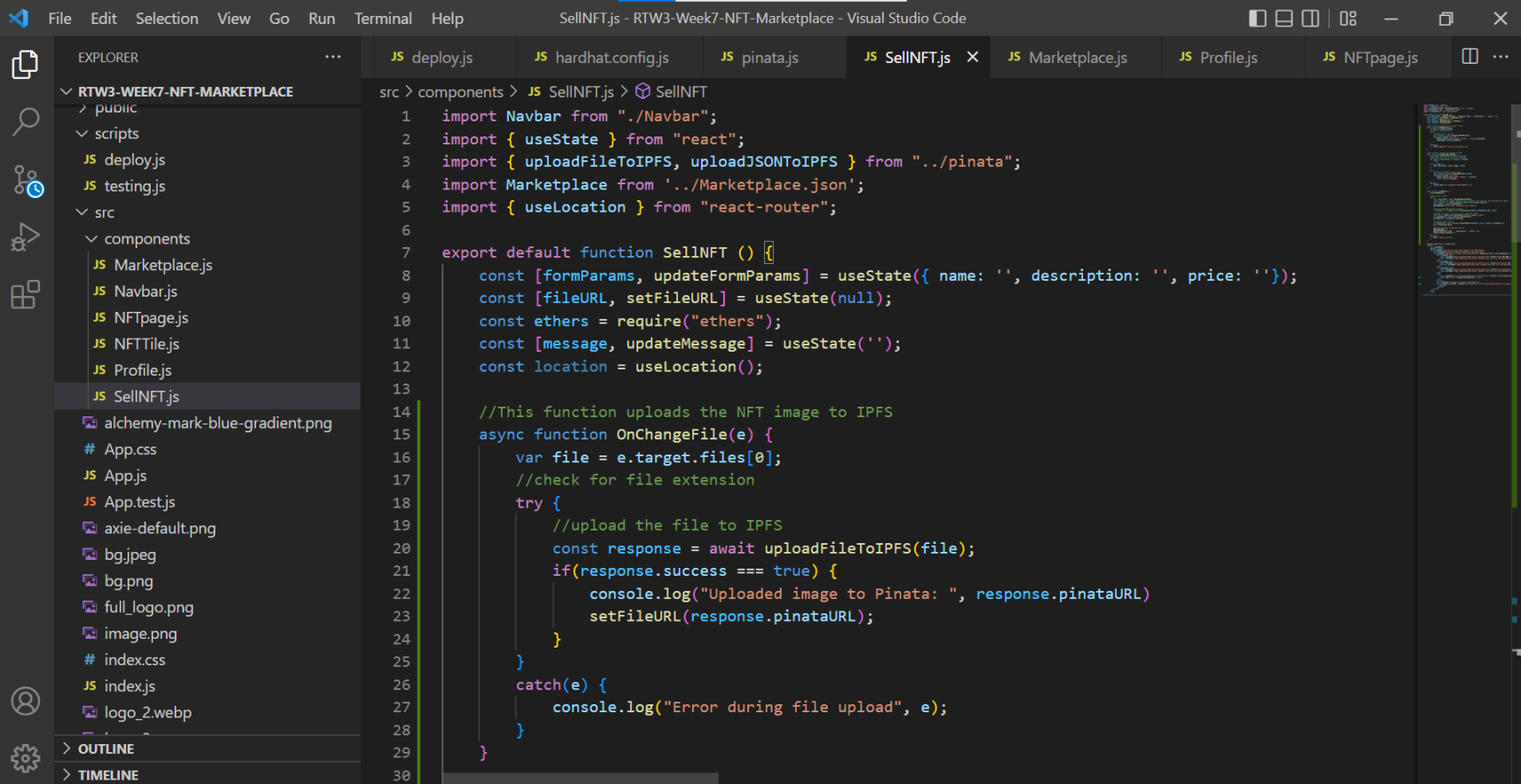
2.将下面的代码粘贴到 src/components/Marketplace.js 中,如图。
import Navbar from "./Navbar";import NFTTile from "./NFTTile";import MarketplaceJSON from "../Marketplace.json";import axios from "axios";import { useState } from "react";export default function Marketplace() {const sampleData = [ { "name": "NFT#1", "description": "Alchemy's First NFT", "website":"http://axieinfinity.io", "image":"https://gateway.pinata.cloud/ipfs/QmTsRJX7r5gyubjkdmzFrKQhHv74p5wT9LdeF1m3RTqrE5", "price":"0.03ETH", "currentlySelling":"True", "address":"0xe81Bf5A757CB4f7F82a2F23b1e59bE45c33c5b13", }, { "name": "NFT#2", "description": "Alchemy's Second NFT", "website":"http://axieinfinity.io", "image":"https://gateway.pinata.cloud/ipfs/QmdhoL9K8my2vi3fej97foiqGmJ389SMs55oC5EdkrxF2M", "price":"0.03ETH", "currentlySelling":"True", "address":"0xe81Bf5A757C4f7F82a2F23b1e59bE45c33c5b13", }, { "name": "NFT#3", "description": "Alchemy's Third NFT", "website":"http://axieinfinity.io", "image":"https://gateway.pinata.cloud/ipfs/QmTsRJX7r5gyubjkdmzFrKQhHv74p5wT9LdeF1m3RTqrE5", "price":"0.03ETH", "currentlySelling":"True", "address":"0xe81Bf5A757C4f7F82a2F23b1e59bE45c33c5b13", },];const [data, updateData] = useState(sampleData);const [dataFetched, updateFetched] = useState(false);async function getAllNFTs() { const ethers = require("ethers"); //After adding your Hardhat network to your metamask, this code will get providers and signers const provider = new ethers.providers.Web3Provider(window.ethereum); const signer = provider.getSigner(); //Pull the deployed contract instance let contract = new ethers.Contract(MarketplaceJSON.address, MarketplaceJSON.abi, signer) //create an NFT Token let transaction = await contract.getAllNFTs() //Fetch all the details of every NFT from the contract and display const items = await Promise.all(transaction.map(async i => { const tokenURI = await contract.tokenURI(i.tokenId); let meta = await axios.get(tokenURI); meta = meta.data; let price = ethers.utils.formatUnits(i.price.toString(), 'ether'); let item = { price, tokenId: i.tokenId.toNumber(), seller: i.seller, owner: i.owner, image: meta.image, name: meta.name, description: meta.description, } return item; })) updateFetched(true); updateData(items);}if(!dataFetched) getAllNFTs();return ( <div> <Navbar></Navbar> <div className="flex flex-col place-items-center mt-20"> <div className="md:text-xl font-bold text-white"> Top NFTs </div> <div className="flex mt-5 justify-between flex-wrap max-w-screen-xl text-center"> {data.map((value, index) => { return <NFTTile data={value} key={index}></NFTTile>; })} </div> </div> </div>);}
3.将下面的代码粘贴到 src/components/Profile.js 中,如图。
import Navbar from "./Navbar";import { useLocation, useParams } from 'react-router-dom';import MarketplaceJSON from "../Marketplace.json";import axios from "axios";import { useState } from "react";import NFTTile from "./NFTTile";export default function Profile () { const [data, updateData] = useState([]); const [dataFetched, updateFetched] = useState(false); const [address, updateAddress] = useState("0x"); const [totalPrice, updateTotalPrice] = useState("0"); async function getNFTData(tokenId) { const ethers = require("ethers"); let sumPrice = 0; //After adding your Hardhat network to your metamask, this code will get providers and signers const provider = new ethers.providers.Web3Provider(window.ethereum); const signer = provider.getSigner(); const addr = await signer.getAddress(); //Pull the deployed contract instance let contract = new ethers.Contract(MarketplaceJSON.address, MarketplaceJSON.abi, signer) //create an NFT Token let transaction = await contract.getMyNFTs() /* * Below function takes the metadata from tokenURI and the data returned by getMyNFTs() contract function * and creates an object of information that is to be displayed */ const items = await Promise.all(transaction.map(async i => { const tokenURI = await contract.tokenURI(i.tokenId); let meta = await axios.get(tokenURI); meta = meta.data; let price = ethers.utils.formatUnits(i.price.toString(), 'ether'); let item = { price, tokenId: i.tokenId.toNumber(), seller: i.seller, owner: i.owner, image: meta.image, name: meta.name, description: meta.description, } sumPrice += Number(price); return item; })) updateData(items); updateFetched(true); updateAddress(addr); updateTotalPrice(sumPrice.toPrecision(3)); } const params = useParams(); const tokenId = params.tokenId; if(!dataFetched) getNFTData(tokenId); return ( <div className="profileClass" style={{"min-height":"100vh"}}> <Navbar></Navbar> <div className="profileClass"> <div className="flex text-center flex-col mt-11 md:text-2xl text-white"> <div className="mb-5"> <h2 className="font-bold">Wallet Address</h2> {address} </div> </div> <div className="flex flex-row text-center justify-center mt-10 md:text-2xl text-white"> <div> <h2 className="font-bold">No. of NFTs</h2> {data.length} </div> <div className="ml-20"> <h2 className="font-bold">Total Value</h2> {totalPrice} ETH </div> </div> <div className="flex flex-col text-center items-center mt-11 text-white"> <h2 className="font-bold">Your NFTs</h2> <div className="flex justify-center flex-wrap max-w-screen-xl"> {data.map((value, index) => { return <NFTTile data={value} key={index}></NFTTile>; })} </div> <div className="mt-10 text-xl"> {data.length == 0 ? "Oops, No NFT data to display (Are you logged in?)":""} </div> </div> </div> </div> )};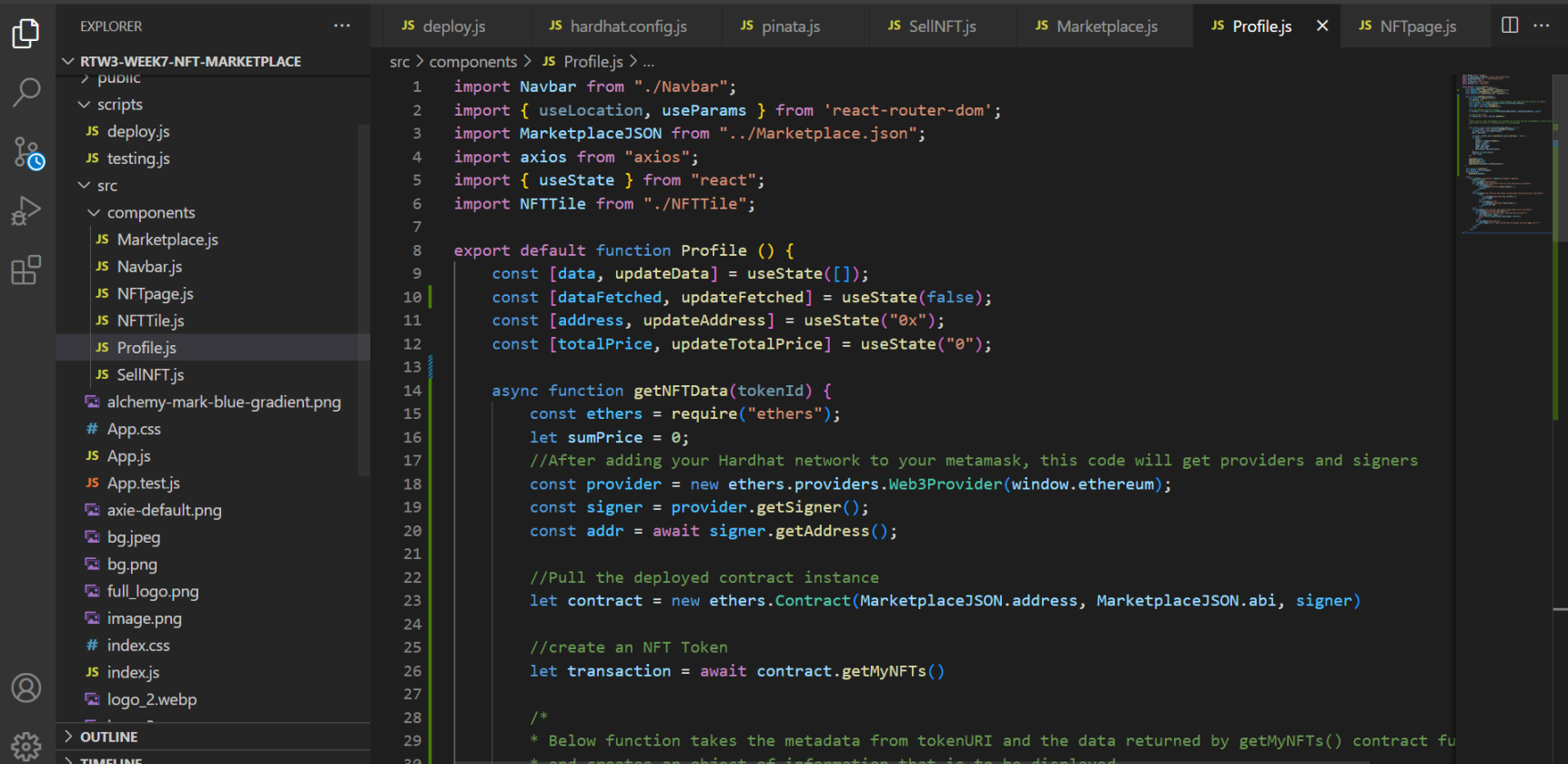
4.将下面的代码粘贴到 src/components/NFTPage.js 中,如图。
import Navbar from "./Navbar";import axie from "../tile.jpeg";import { useLocation, useParams } from 'react-router-dom';import MarketplaceJSON from "../Marketplace.json";import axios from "axios";import { useState } from "react";export default function NFTPage (props) {const [data, updateData] = useState({});const [dataFetched, updateDataFetched] = useState(false);const [message, updateMessage] = useState("");const [currAddress, updateCurrAddress] = useState("0x");async function getNFTData(tokenId) { const ethers = require("ethers"); //After adding your Hardhat network to your metamask, this code will get providers and signers const provider = new ethers.providers.Web3Provider(window.ethereum); const signer = provider.getSigner(); const addr = await signer.getAddress(); //Pull the deployed contract instance let contract = new ethers.Contract(MarketplaceJSON.address, MarketplaceJSON.abi, signer) //create an NFT Token const tokenURI = await contract.tokenURI(tokenId); const listedToken = await contract.getListedTokenForId(tokenId); let meta = await axios.get(tokenURI); meta = meta.data; console.log(listedToken); let item = { price: meta.price, tokenId: tokenId, seller: listedToken.seller, owner: listedToken.owner, image: meta.image, name: meta.name, description: meta.description, } console.log(item); updateData(item); updateDataFetched(true); console.log("address", addr) updateCurrAddress(addr);}async function buyNFT(tokenId) { try { const ethers = require("ethers"); //After adding your Hardhat network to your metamask, this code will get providers and signers const provider = new ethers.providers.Web3Provider(window.ethereum); const signer = provider.getSigner(); //Pull the deployed contract instance let contract = new ethers.Contract(MarketplaceJSON.address, MarketplaceJSON.abi, signer); const salePrice = ethers.utils.parseUnits(data.price, 'ether') updateMessage("Buying the NFT... Please Wait (Upto 5 mins)") //run the executeSale function let transaction = await contract.executeSale(tokenId, {value:salePrice}); await transaction.wait(); alert('You successfully bought the NFT!'); updateMessage(""); } catch(e) { alert("Upload Error"+e) }} const params = useParams(); const tokenId = params.tokenId; if(!dataFetched) getNFTData(tokenId); return( <div style={{"min-height":"100vh"}}> <Navbar></Navbar> <div className="flex ml-20 mt-20"> <img src={data.image} alt="" className="w-2/5" /> <div className="text-xl ml-20 space-y-8 text-white shadow-2xl rounded-lg border-2 p-5"> <div> Name: {data.name} </div> <div> Description: {data.description} </div> <div> Price: <span className="">{data.price + " ETH"}</span> </div> <div> Owner: <span className="text-sm">{data.owner}</span> </div> <div> Seller: <span className="text-sm">{data.seller}</span> </div> <div> { currAddress == data.owner || currAddress == data.seller ? <button className="enableEthereumButton bg-blue-500 hover:bg-blue-700 text-white font-bold py-2 px-4 rounded text-sm" onClick={() => buyNFT(tokenId)}>Buy this NFT</button> : <div className="text-emerald-700">You are the owner of this NFT</div> } <div className="text-green text-center mt-3">{message}</div> </div> </div> </div> </div> )}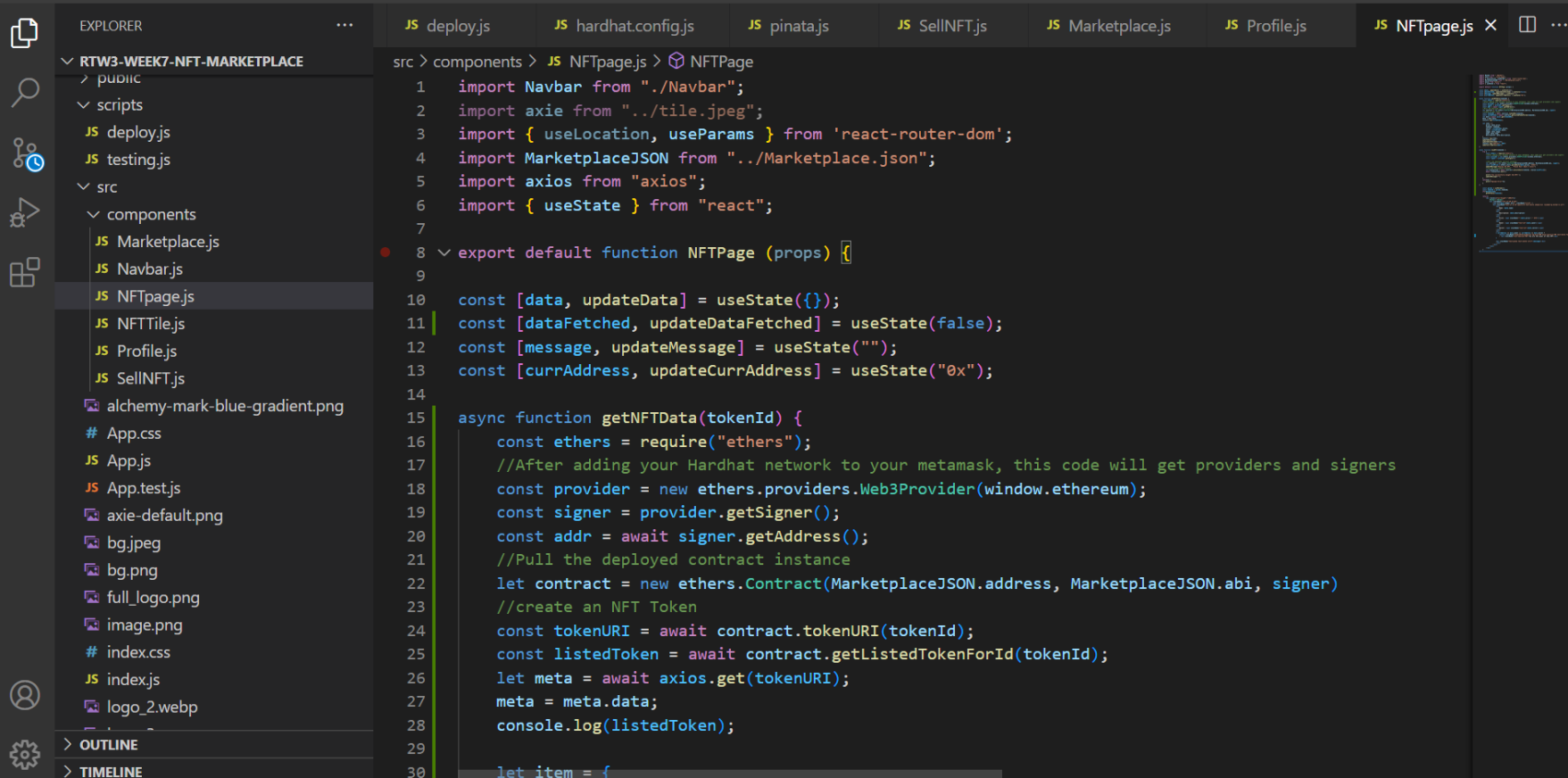
上述步骤记得保存。
step10 测试您的代码
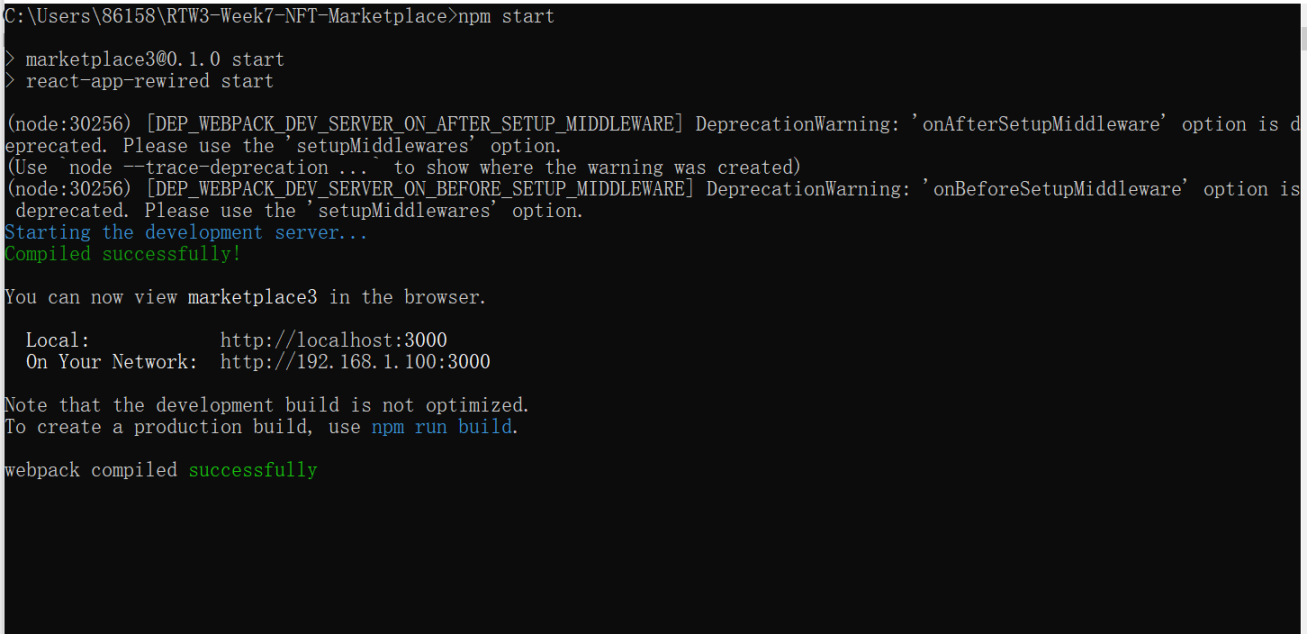
1.在控制台输入 npm start,可以看到成功了。可以试一下上传 nft 和购买 nft 功能,也可以直接提交。

step11 提交项目
可以提交项目 github,具体方式见第六周教程最后
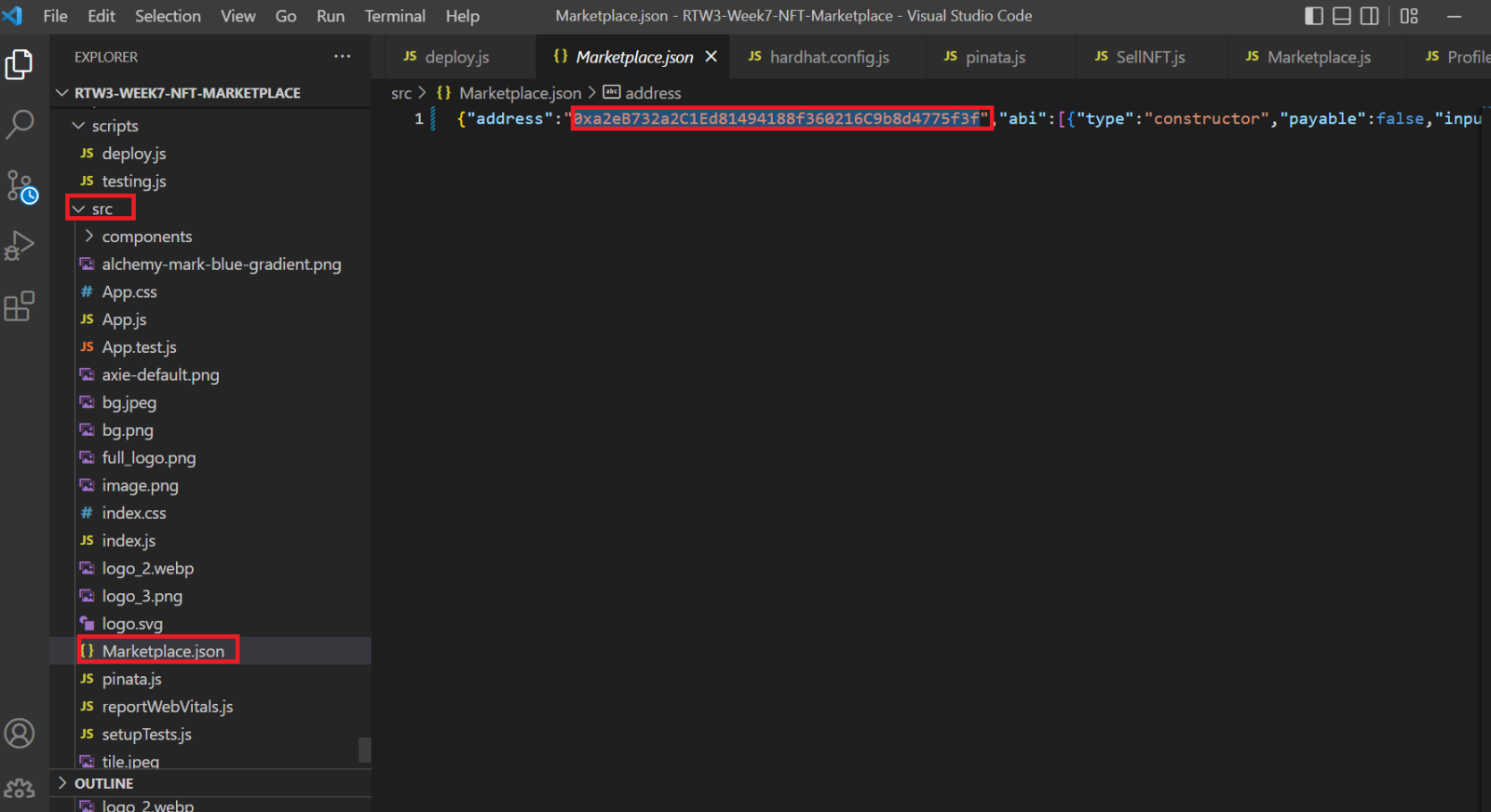
也可以提交部署的合约地址,在这里
step12 领取 nft
【免责声明】市场有风险,投资需谨慎。本文不构成投资建议,用户应考虑本文中的任何意见、观点或结论是否符合其特定状况。据此投资,责任自负。
来源链接